Les 5 étapes de Ajax en code

← Le volet web · 68 diapositives · flèches ou clic pour avancer
Les 5 étapes de l'Ajax en code - ÉVÉNEMENT - REQUÊTE - TRAITEMENT - REPONSE - AFFICHAGE
Versions avec XmlHttpRequest - ÉVÉNEMENT - REQUÊTE - TRAITEMENT - REPONSE - AFFICHAGE
Exemple de liste dynamique - Les 5 étapes : ÉVÉNEMENT - REQUÊTE - TRAITEMENT - REPONSE - AFFICHAGE - Version avec XMLHttpRequest
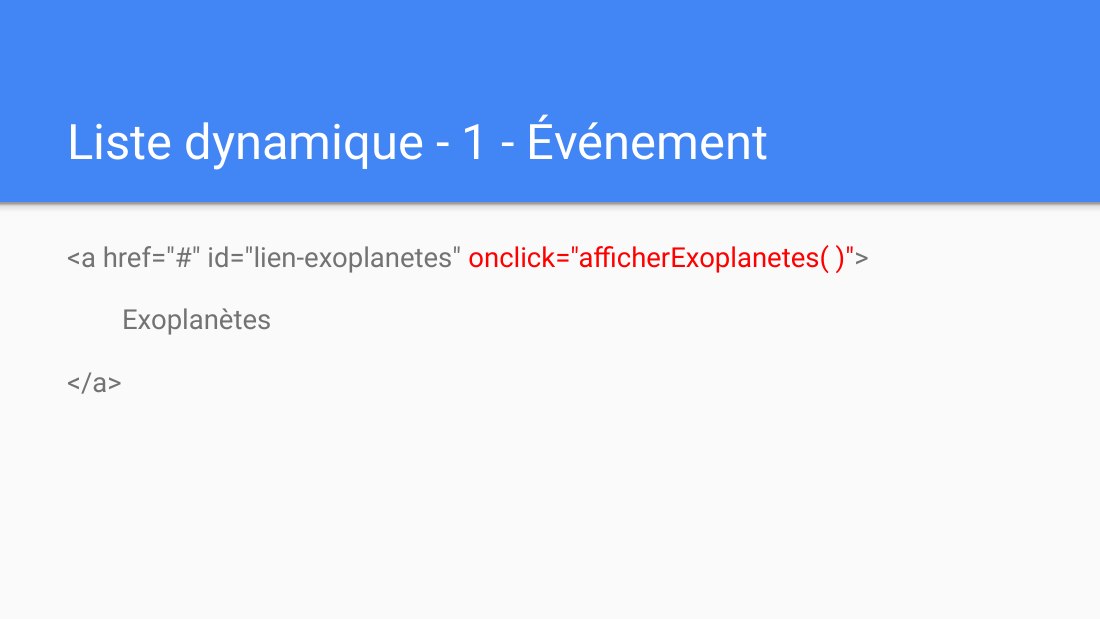
Liste dynamique - 1 - Événement - <a href="#" id="lien-exoplanetes" onclick="afficherExoplanetes( )" > - Exoplanètes - </a>
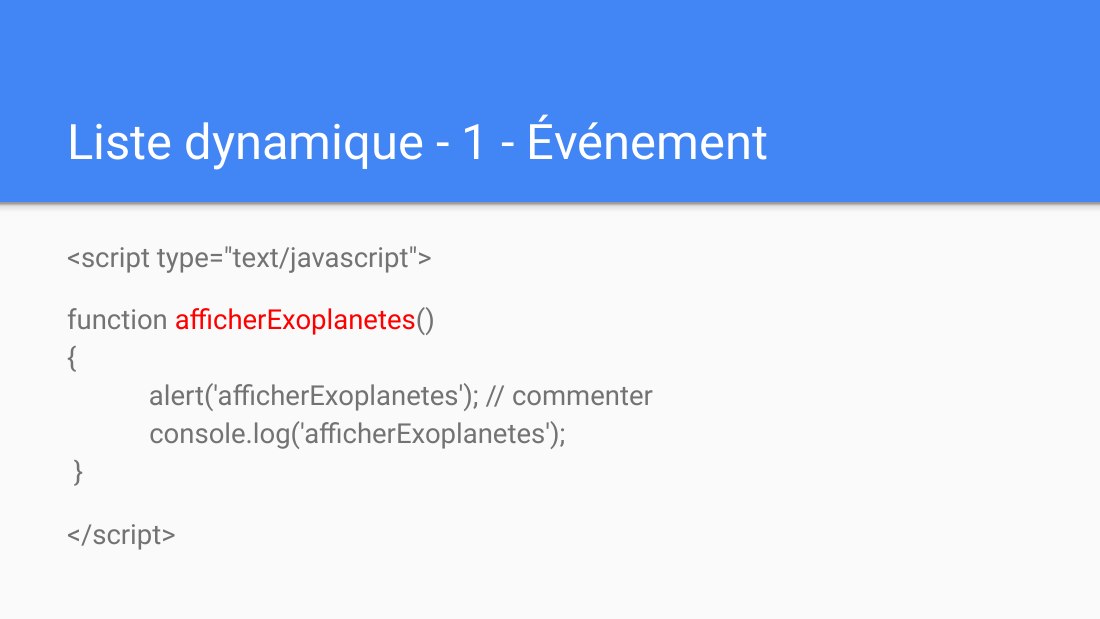
Liste dynamique - 1 - Événement - <script type="text/javascript"> - function afficherExoplanetes () { alert('afficherExoplanetes'); // commenter console.log('afficherExoplanetes'); } - </script>
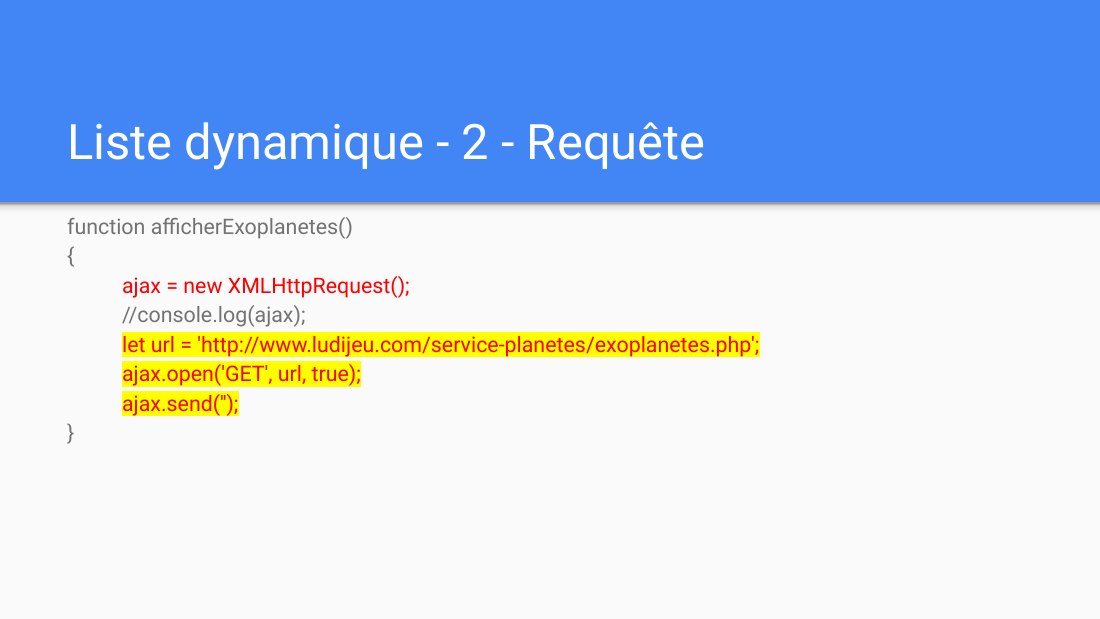
Liste dynamique - 2 - Requête - function afficherExoplanetes() - { - ajax = new XMLHttpRequest(); - // console.log(ajax); - let url = 'http://www.ludijeu.com/service-planetes/exoplanetes.php'; - ajax.open('GET', url, true); - ajax.send(''); - }
Liste dynamique - 3 - Traitement serveur - Dans le fichier : http://www.ludijeu.com/service-planetes/exoplanetes.php - Code php qui génère la liste des exoplanètes en HTML
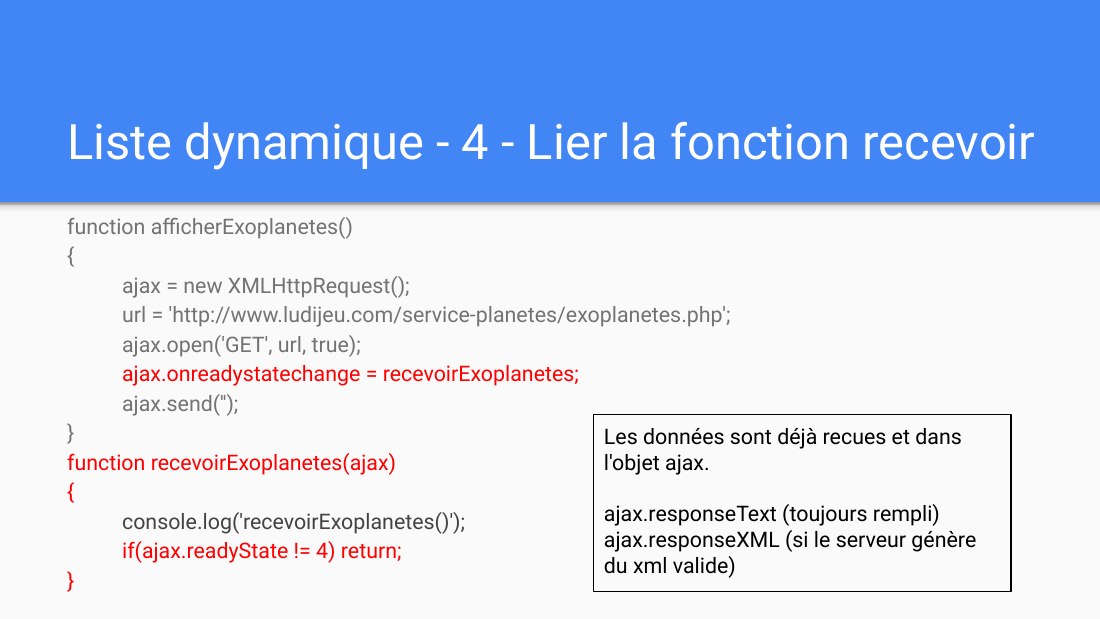
Liste dynamique - 4 - Lier la fonction recevoir - function afficherExoplanetes() - { - ajax = new XMLHttpRequest(); - url = 'http://www.ludijeu.com/service-planetes/exoplanetes.php'; - ajax.open('GET', url, true); - ajax.onreadystatechange = recevoirExoplanetes; - ajax.send(''); - } function recevoirExoplanetes (ajax) { - console.log('recevoirExoplanetes()'); - if(ajax.readyState != 4) return; -…
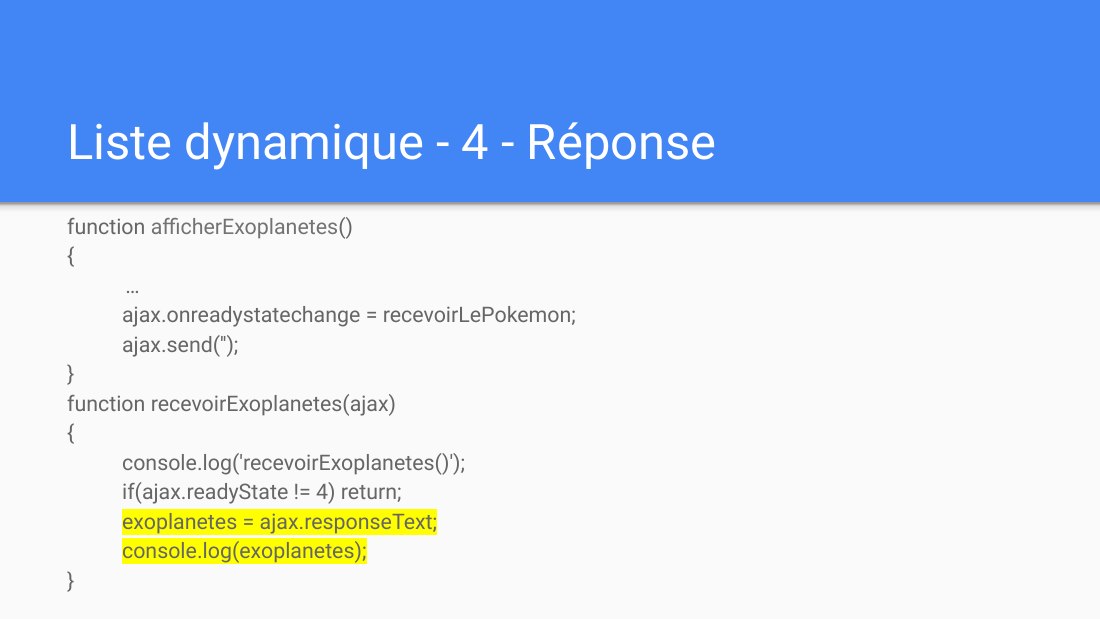
Liste dynamique - 4 - Réponse - function afficherExoplanetes () - { - … - ajax.onreadystatechange = recevoirLePokemon; - ajax.send(''); - } function recevoirExoplanetes(ajax) { - console.log('recevoirExoplanetes()'); - if(ajax.readyState != 4) return; - exoplanetes = ajax.responseText; - console.log(exoplanetes); - }
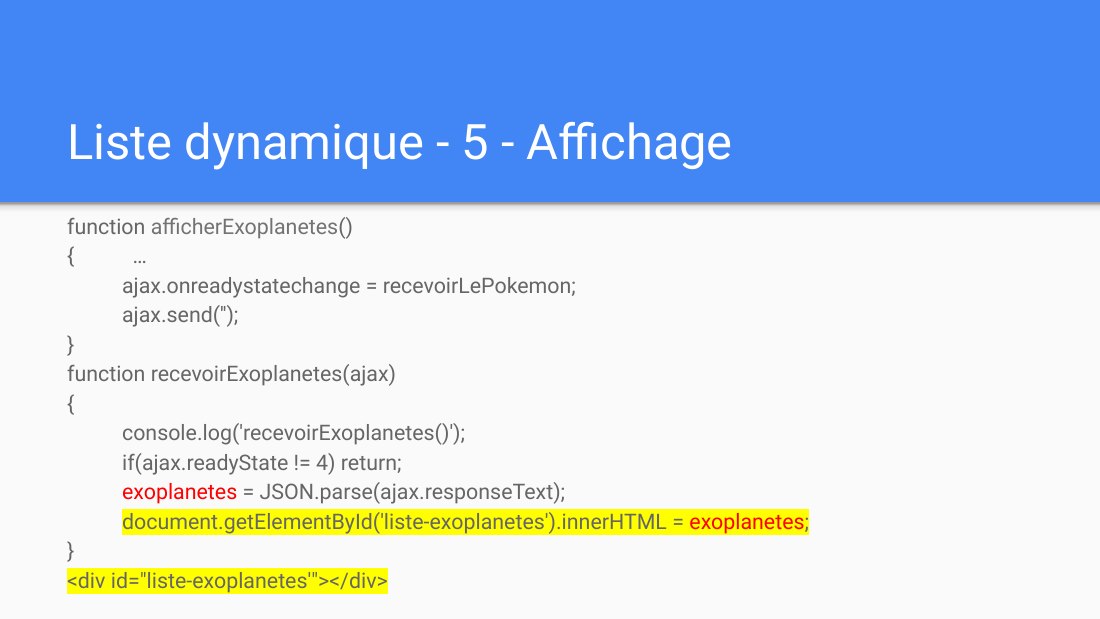
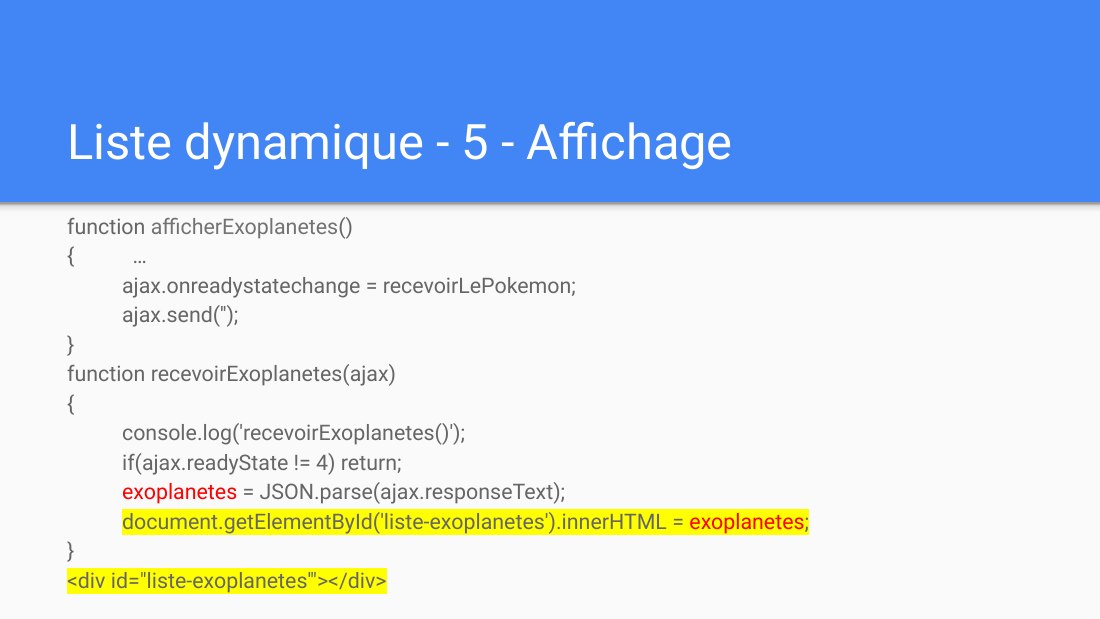
Liste dynamique - 5 - Affichage - function afficherExoplanetes () - { … - ajax.onreadystatechange = recevoirLePokemon; - ajax.send(''); - } function recevoirExoplanetes(ajax) { - console.log('recevoirExoplanetes()'); - if(ajax.readyState != 4) return; - exoplanetes = JSON.parse(ajax.responseText); - document.getElementById('liste-exoplanetes').innerHTML = exoplanetes ; - } - <div id="liste-…
Exemple de autocomplete - Les 4 étapes : ÉVÉNEMENT - REQUÊTE - REPONSE - AFFICHAGE - Version avec XMLHttpRequest
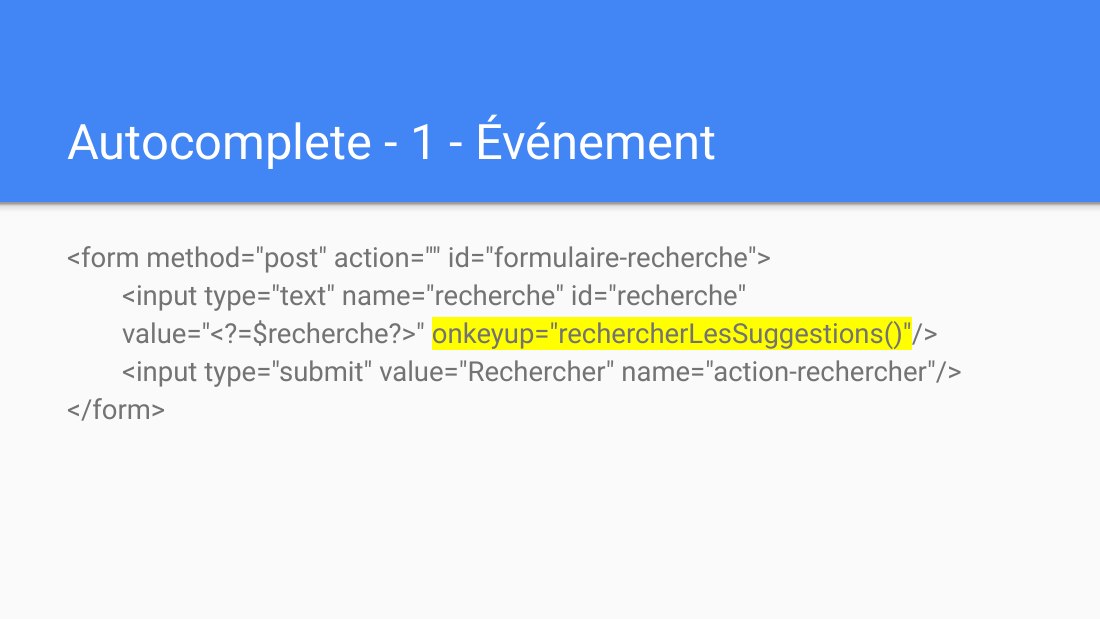
Autocomplete - 1 - Événement - <form method="post" action="" id="formulaire-recherche"> <input type="text" name="recherche" id="recherche" value="<?=$recherche?>" onkeyup="rechercherLesSuggestions()" /> <input type="submit" value="Rechercher" name="action-rechercher"/> </form>
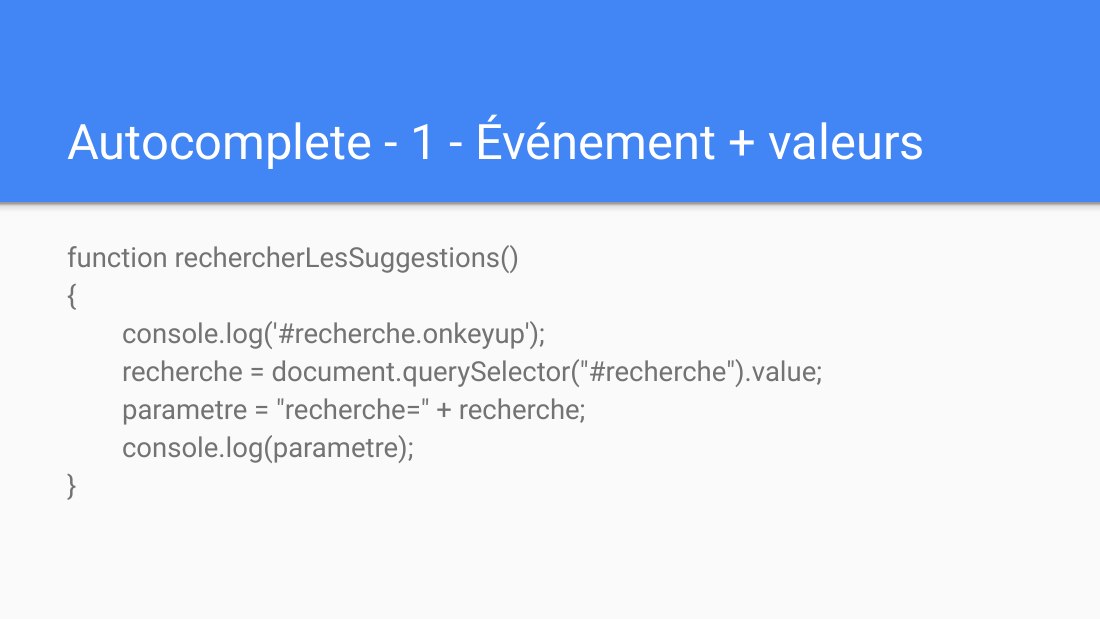
Autocomplete - 1 - Événement + valeurs - function rechercherLesSuggestions() { console.log('#recherche.onkeyup'); recherche = document.querySelector("#recherche").value; parametre = "recherche=" + recherche; console.log(parametre); }
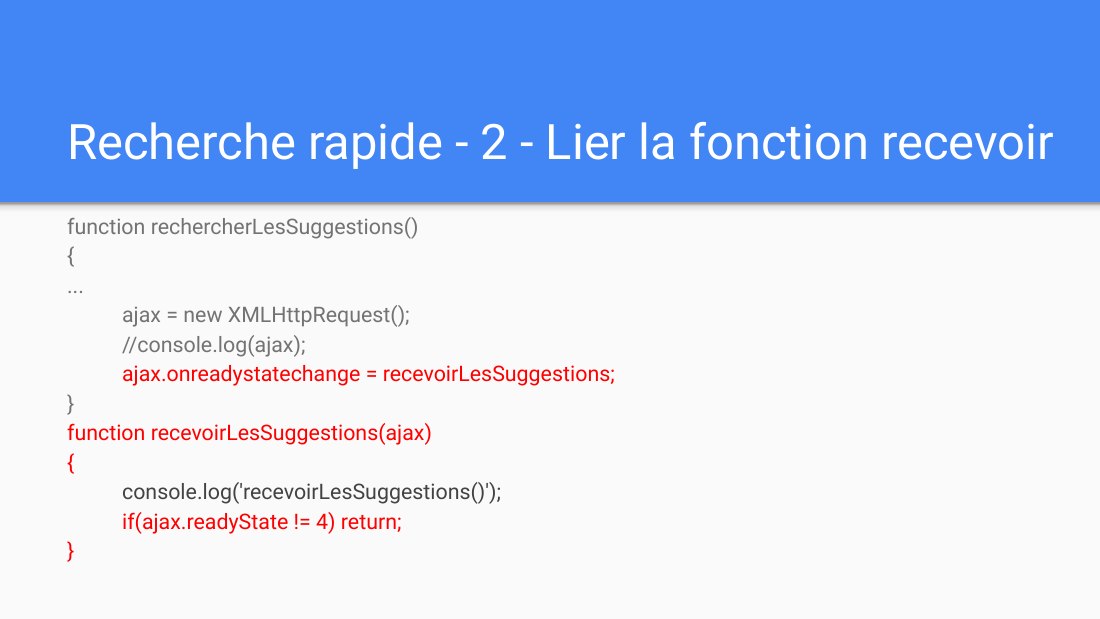
Recherche rapide - 2 - Lier la fonction recevoir - function rechercherLesSuggestions() - { - ... - ajax = new XMLHttpRequest(); - //console.log(ajax); - ajax.onreadystatechange = recevoirLesSuggestions; - } function recevoirLesSuggestions(ajax) { - console.log('recevoirLesSuggestions()'); - if(ajax.readyState != 4) return; - }
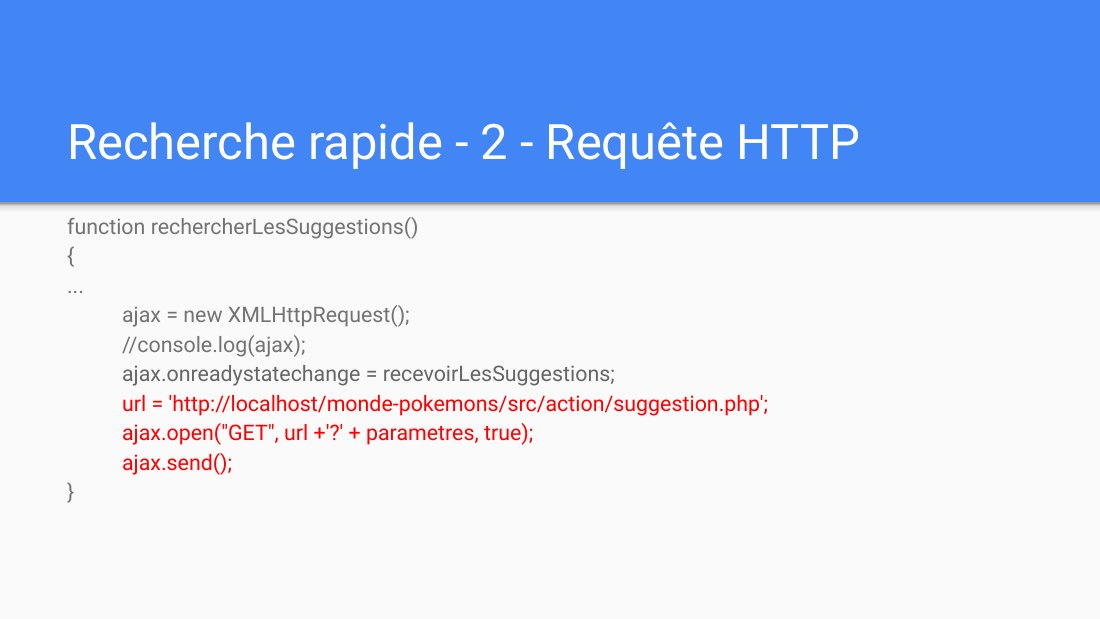
Recherche rapide - 2 - Requête HTTP - function rechercherLesSuggestions() - { - ... - ajax = new XMLHttpRequest(); - //console.log(ajax); - ajax.onreadystatechange = recevoirLesSuggestions; - url = 'http://localhost/monde-pokemons/src/action/suggestion.php'; - ajax.open("GET", url +'?' + parametres , true); - ajax.send(); - }
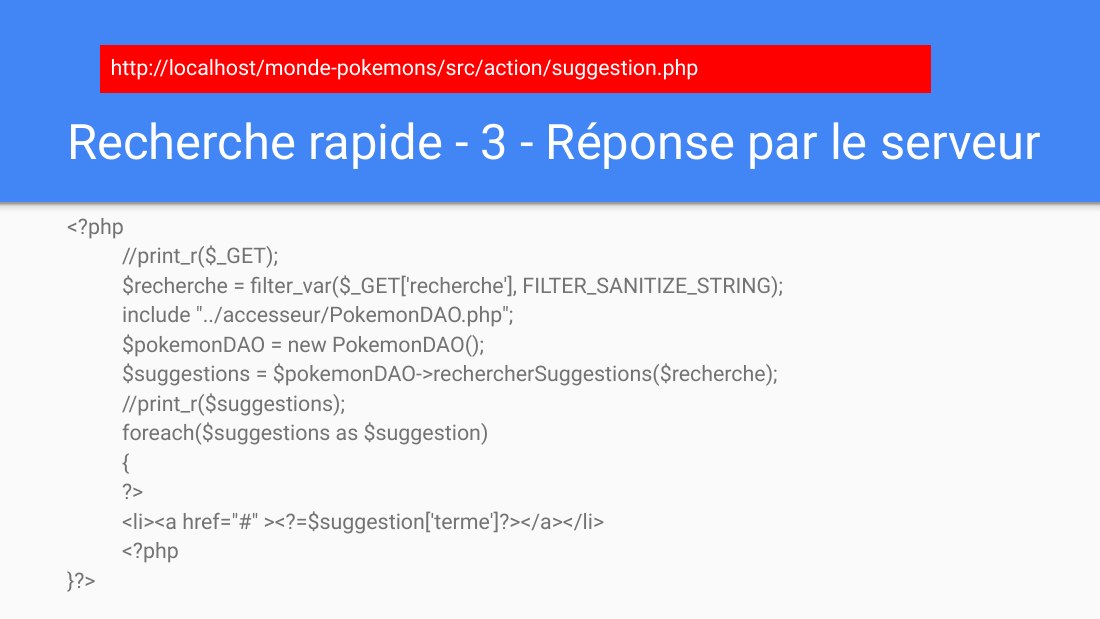
Recherche rapide - 3 - Réponse par le serveur - <?php //print_r($_GET); $recherche = filter_var($_GET['recherche'], FILTER_SANITIZE_STRING); include "../accesseur/PokemonDAO.php"; $pokemonDAO = new PokemonDAO(); $suggestions = $pokemonDAO->rechercherSuggestions($recherche); //print_r($suggestions); foreach($suggestions as $suggestion) { ?> <li><a href="#" ><?=$suggestion['terme']?></a></li> <?php…
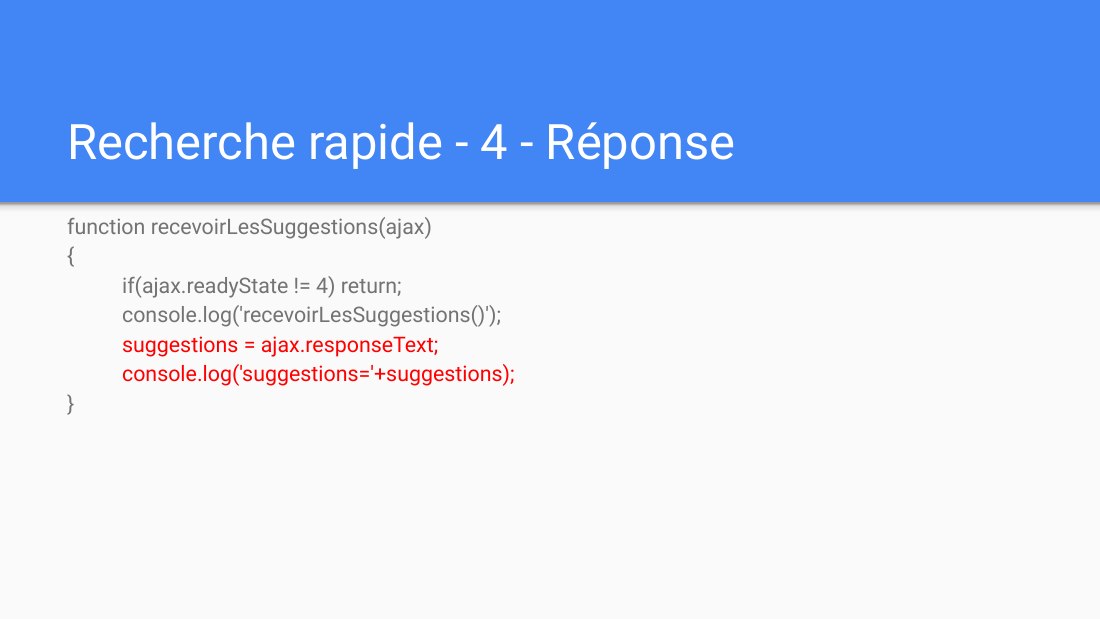
Recherche rapide - 4 - Réponse - function recevoirLesSuggestions(ajax) { if(ajax.readyState != 4) return; - console.log('recevoirLesSuggestions()'); suggestions = ajax.responseText; console.log('suggestions='+suggestions); }
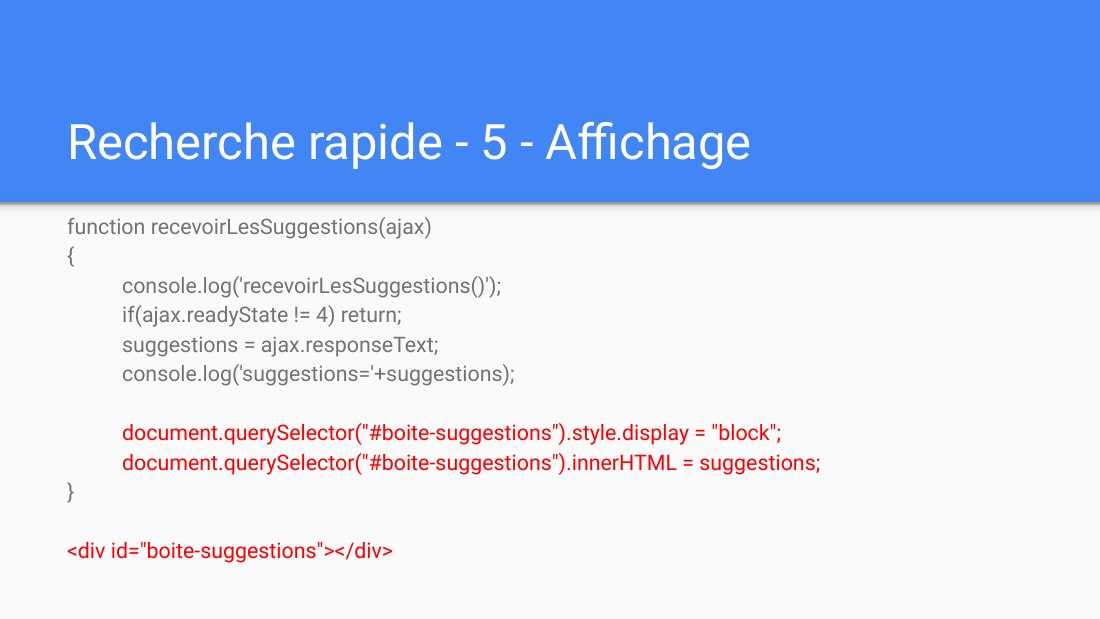
Recherche rapide - 5 - Affichage - function recevoirLesSuggestions(ajax) { console.log('recevoirLesSuggestions()'); if(ajax.readyState != 4) return; - suggestions = ajax.responseText; console.log('suggestions='+suggestions); document.querySelector("#boite-suggestions").style.display = "block"; document.querySelector("#boite-suggestions").innerHTML = suggestions; } - <div…
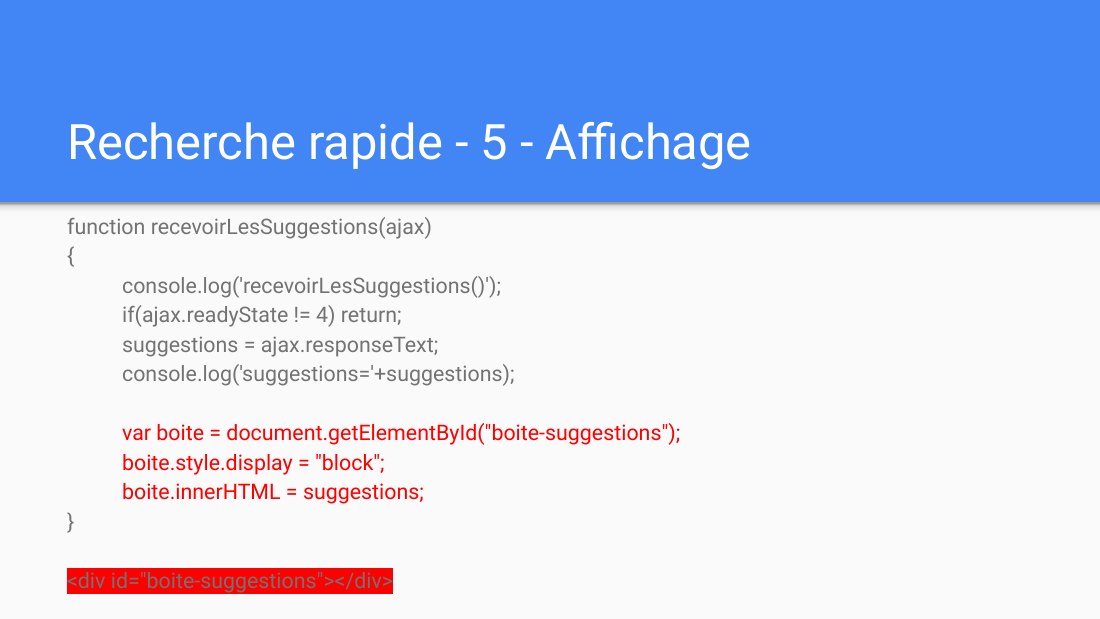
Recherche rapide - 5 - Affichage - function recevoirLesSuggestions(ajax) { console.log('recevoirLesSuggestions()'); - if(ajax.readyState != 4) return; suggestions = ajax.responseText; console.log('suggestions='+suggestions); - var boite = document.getElementById(" boite-suggestions "); boite.style.display = "block"; boite.innerHTML = suggestions; } - <div id="boite-suggestions"></div>
Exemple de vignette-détail - Les 5 étapes : ÉVÉNEMENT - REQUÊTE - TRAITEMENT - REPONSE - AFFICHAGE - Version avec XMLHttpRequest
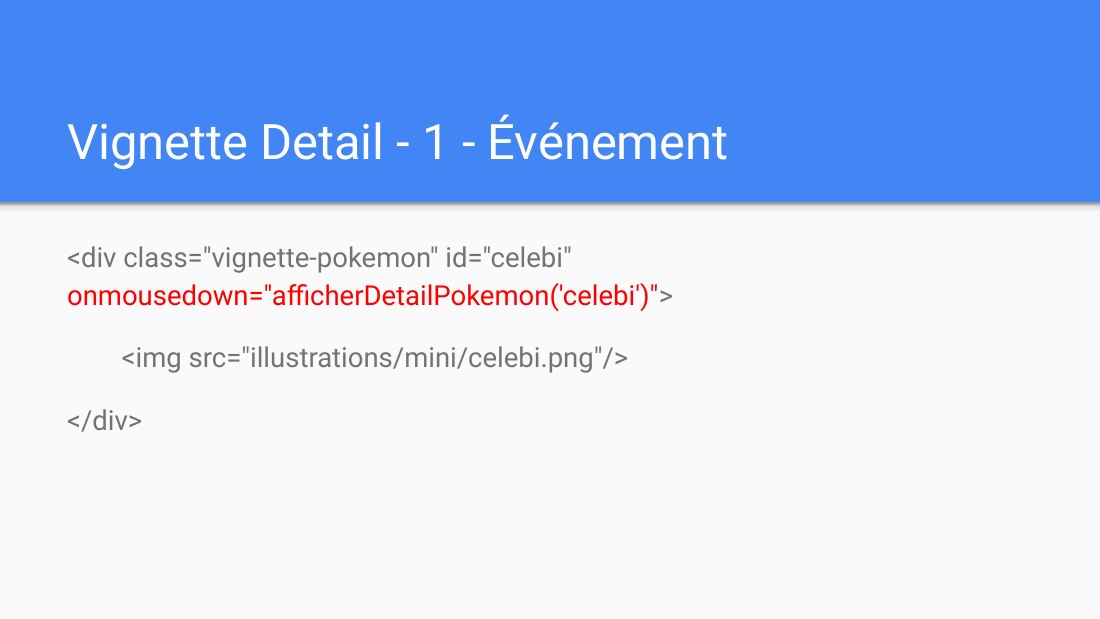
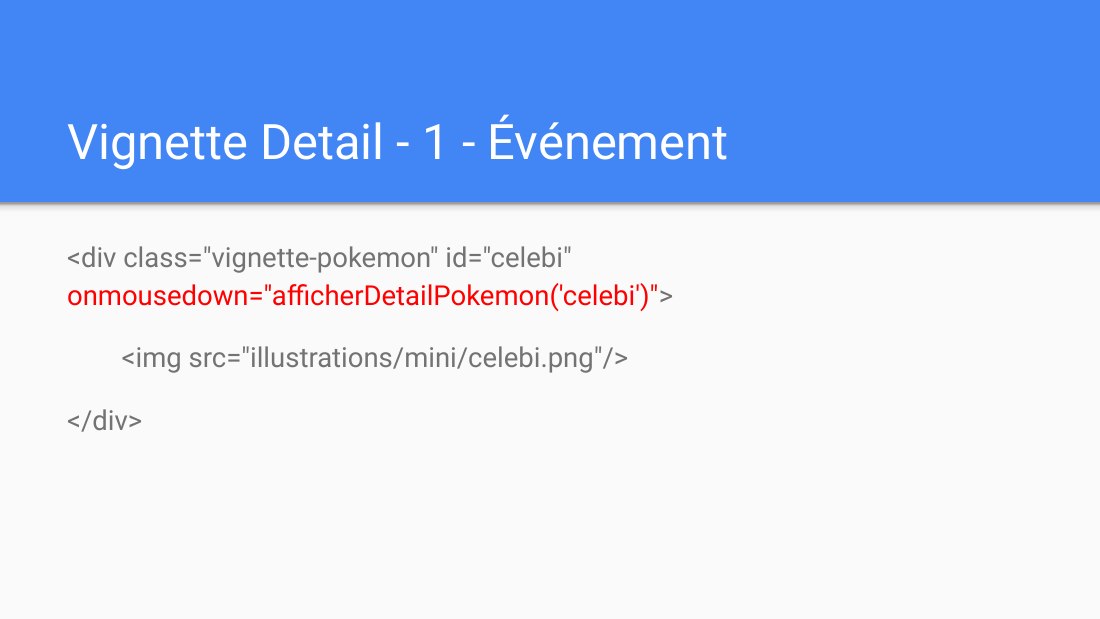
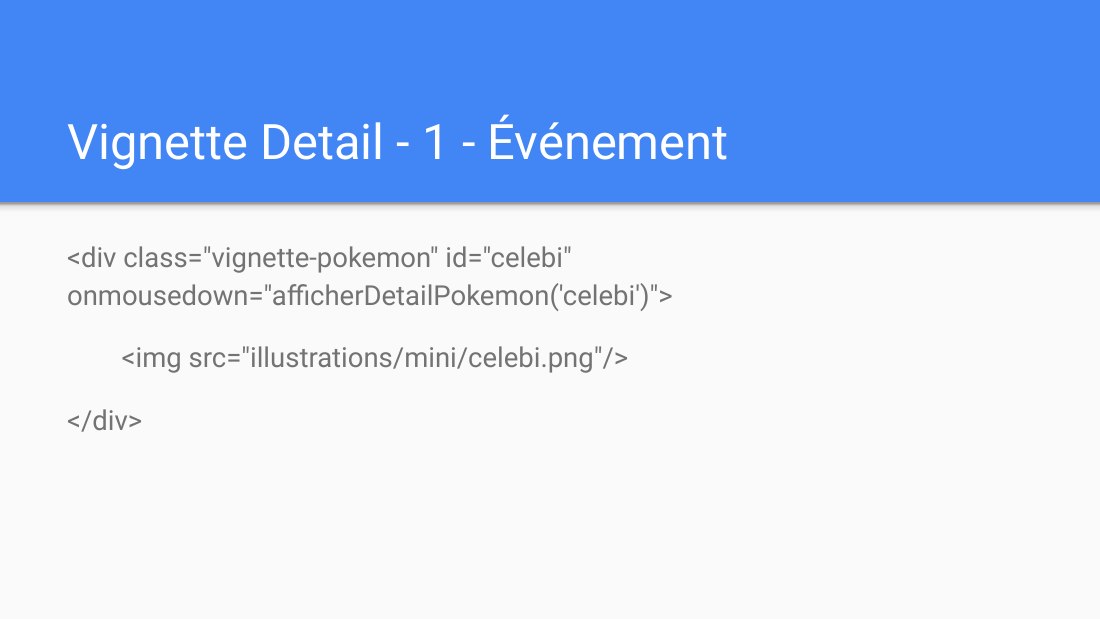
Vignette Detail - 1 - Événement - <div class="vignette-pokemon" id="celebi" onmousedown ="afficherDetailPokemon('celebi')" > - <img src="illustrations/mini/celebi.png"/> - </div>
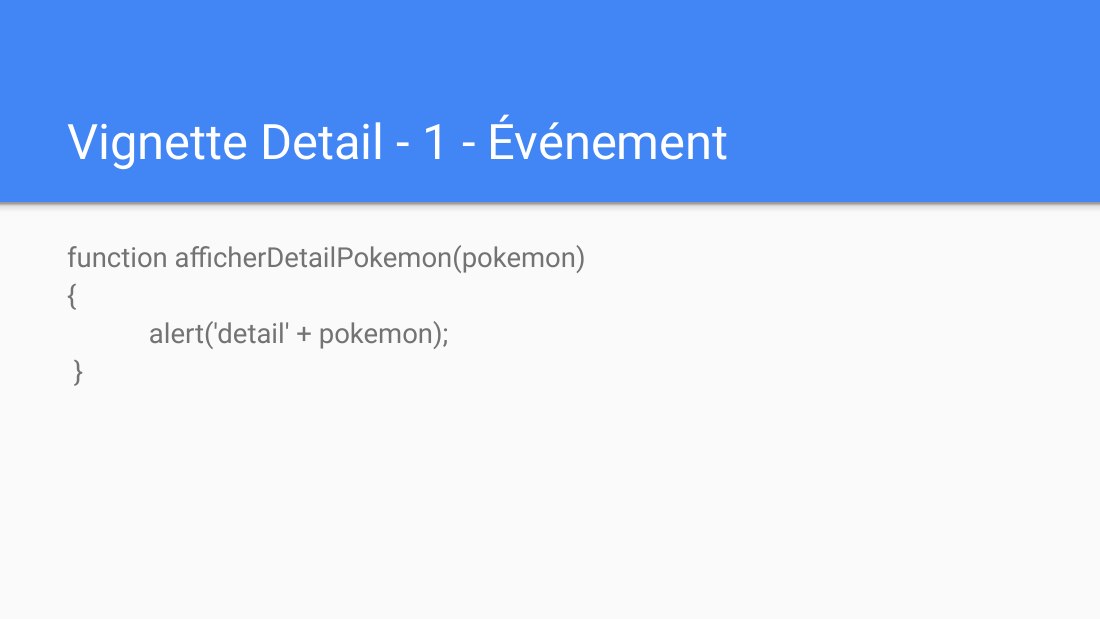
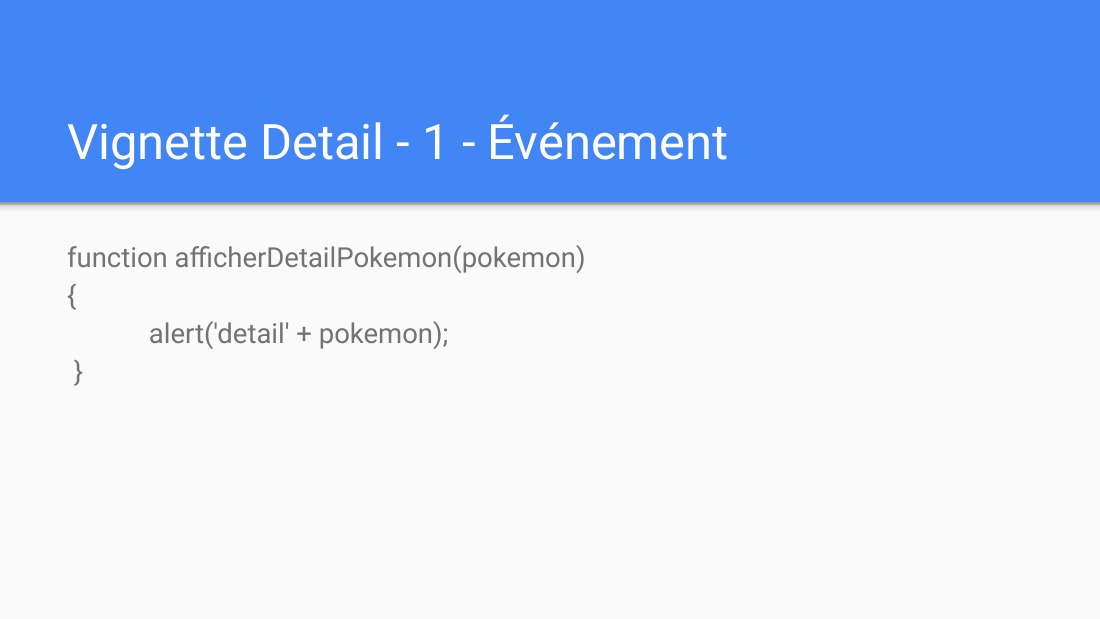
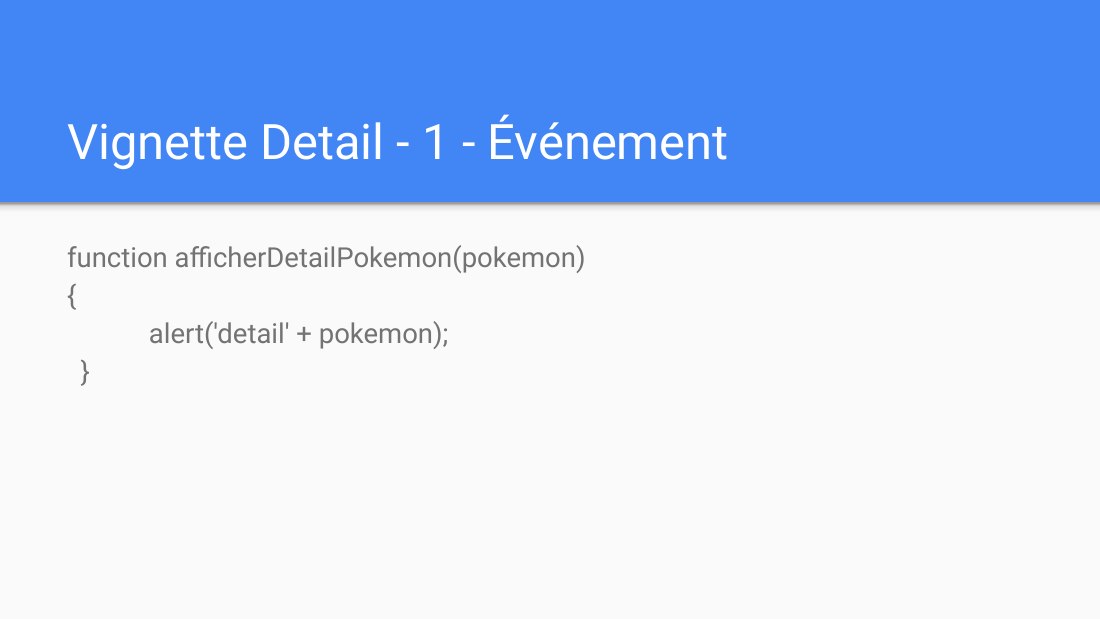
Vignette Detail - 1 - Événement - function afficherDetailPokemon(pokemon) { alert('detail' + pokemon); }
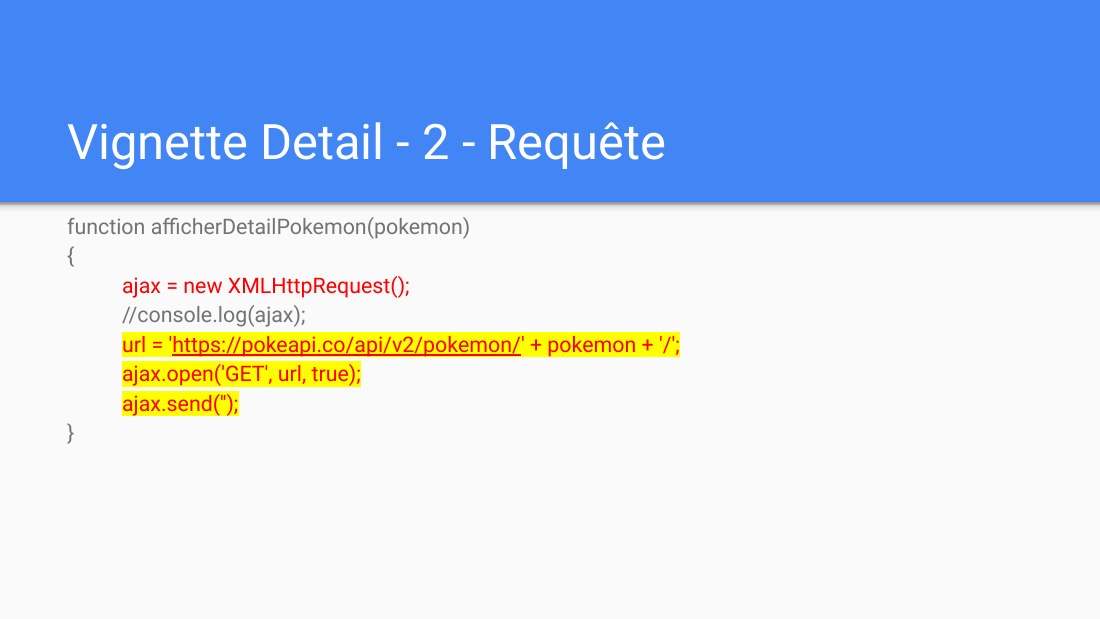
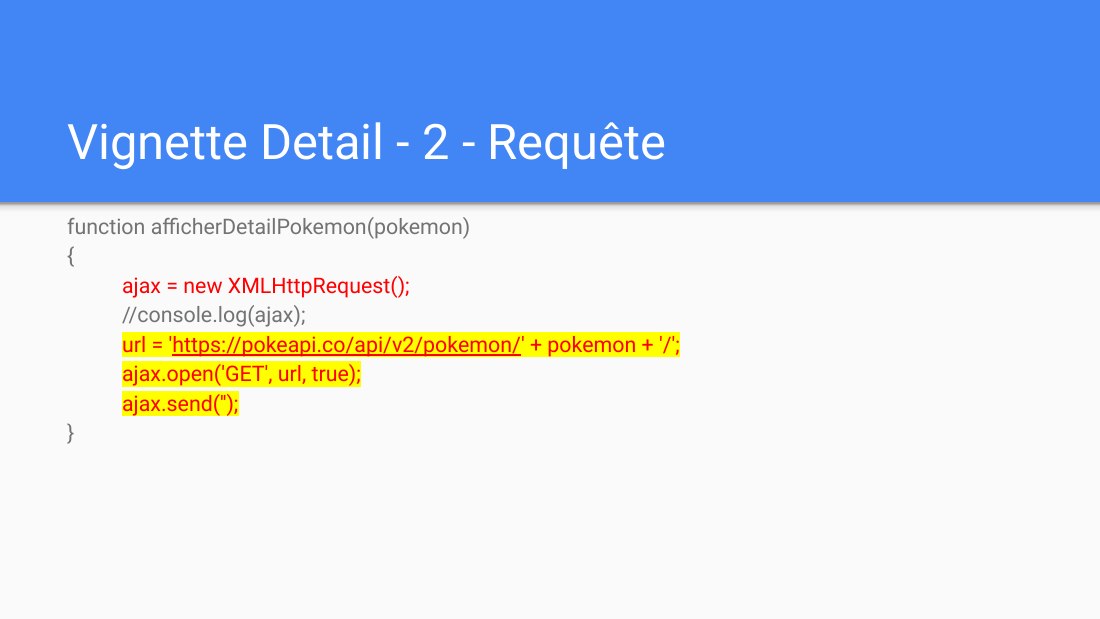
Vignette Detail - 2 - Requête - function afficherDetailPokemon(pokemon) - { - ajax = new XMLHttpRequest(); - //console.log(ajax); - url = ' https://pokeapi.co/api/v2/pokemon/ ' + pokemon + '/'; - ajax.open('GET', url, true); - ajax.send(''); - }
Vignette Detail - 3 - Traitement - Fait par le service externe
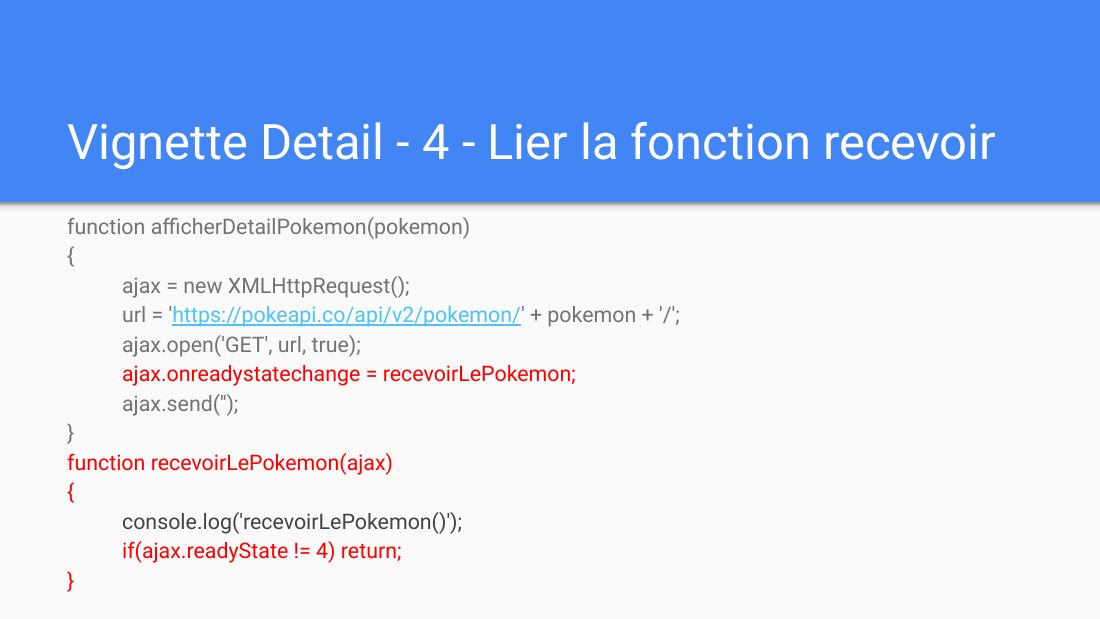
Vignette Detail - 4 - Lier la fonction recevoir - function afficherDetailPokemon(pokemon) - { - ajax = new XMLHttpRequest(); - url = ' https://pokeapi.co/api/v2/pokemon/ ' + pokemon + '/'; - ajax.open('GET', url, true); - ajax.onreadystatechange = recevoirLePokemon; - ajax.send(''); - } function recevoirLePokemon(ajax) { - console.log('recevoirLePokemon()'); - if(ajax.readyState != 4) return; - }
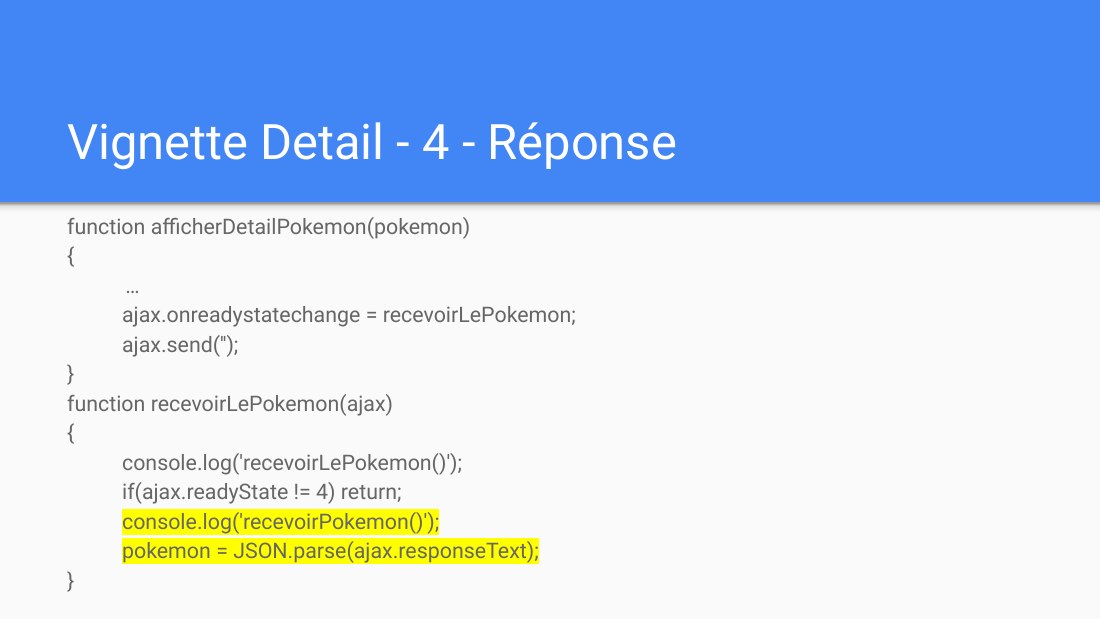
Vignette Detail - 4 - Réponse - function afficherDetailPokemon(pokemon) - { - … - ajax.onreadystatechange = recevoirLePokemon; - ajax.send(''); - } function recevoirLePokemon(ajax) { - console.log('recevoirLePokemon()'); - if(ajax.readyState != 4) return; - console.log('recevoirPokemon()'); - pokemon = JSON.parse(ajax.responseText); - }
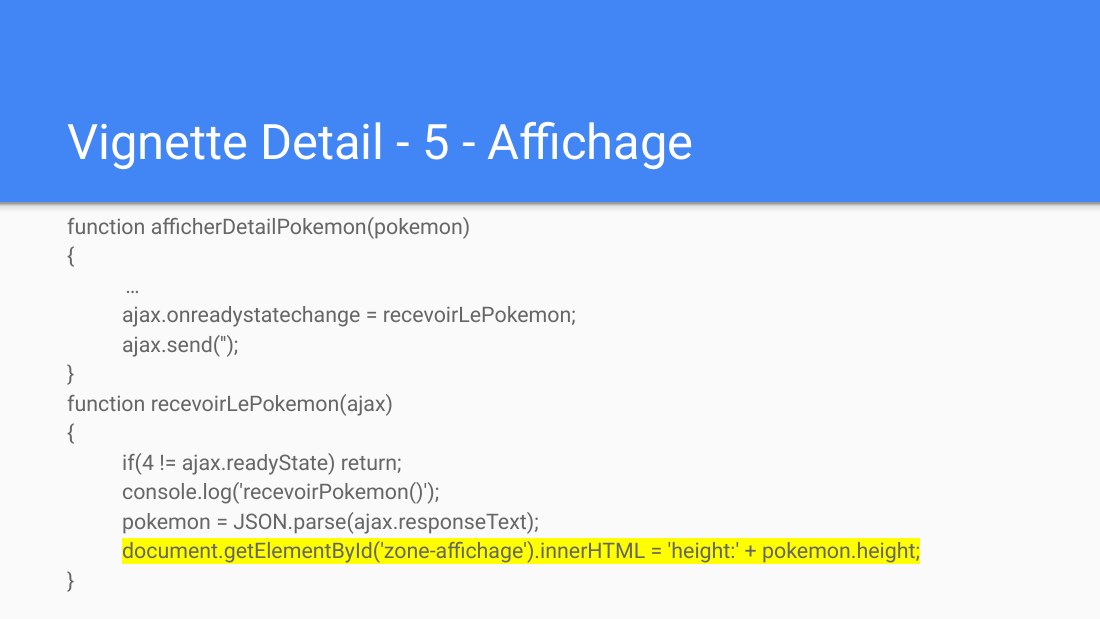
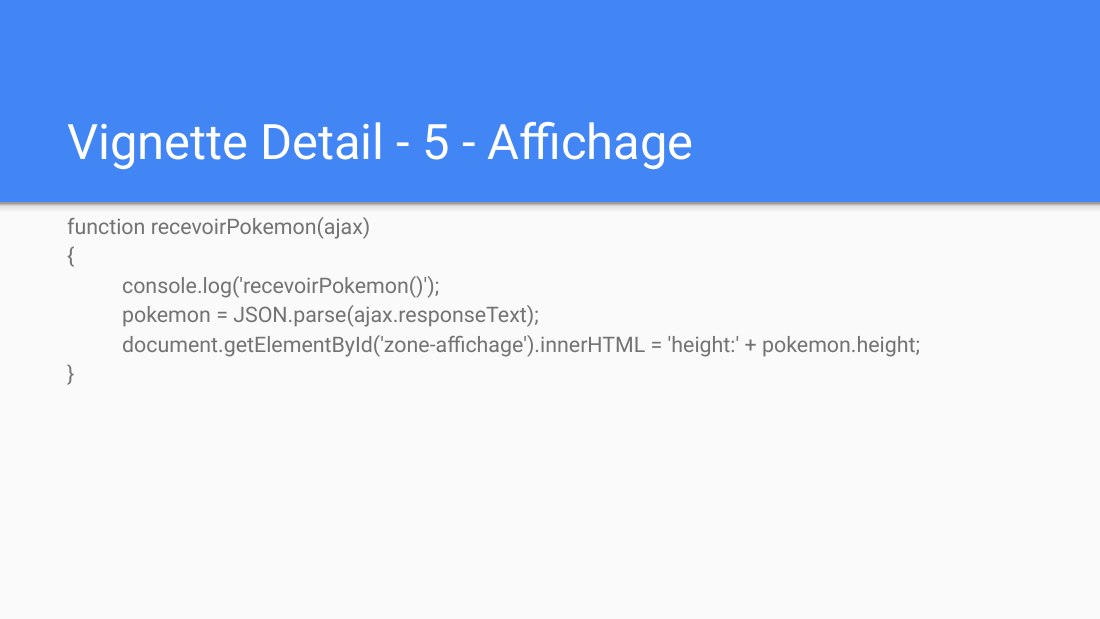
Vignette Detail - 5 - Affichage - function afficherDetailPokemon(pokemon) - { - … - ajax.onreadystatechange = recevoirLePokemon; - ajax.send(''); - } function recevoirLePokemon(ajax) { - if(4 != ajax.readyState) return; - console.log('recevoirPokemon()'); - pokemon = JSON.parse(ajax.responseText); - document.getElementById('zone-affichage').innerHTML = 'height:' + pokemon.height; - }
Exemple de vignette-détail - Les 5 étapes : ÉVÉNEMENT - REQUÊTE - TRAITEMENT - REPONSE - AFFICHAGE - Version avec XMLHttpRequest
Vignette Detail - 1 - Événement - <div class="vignette-pokemon" id="celebi" onmousedown="afficherDetailPokemon('celebi')" > - <img src="illustrations/mini/celebi.png"/> - </div>
Vignette Detail - 1 - Événement - function afficherDetailPokemon(pokemon) { alert('detail' + pokemon); }
Vignette Detail - 2 - Requête - function afficherDetailPokemon(pokemon) - { - ajax = new XMLHttpRequest(); - //console.log(ajax); - url = ' https://pokeapi.co/api/v2/pokemon/ ' + pokemon + '/'; - ajax.open('GET', url, true); - ajax.send(''); - }
Vignette Detail - 3 - Traitement - Fait par le service externe
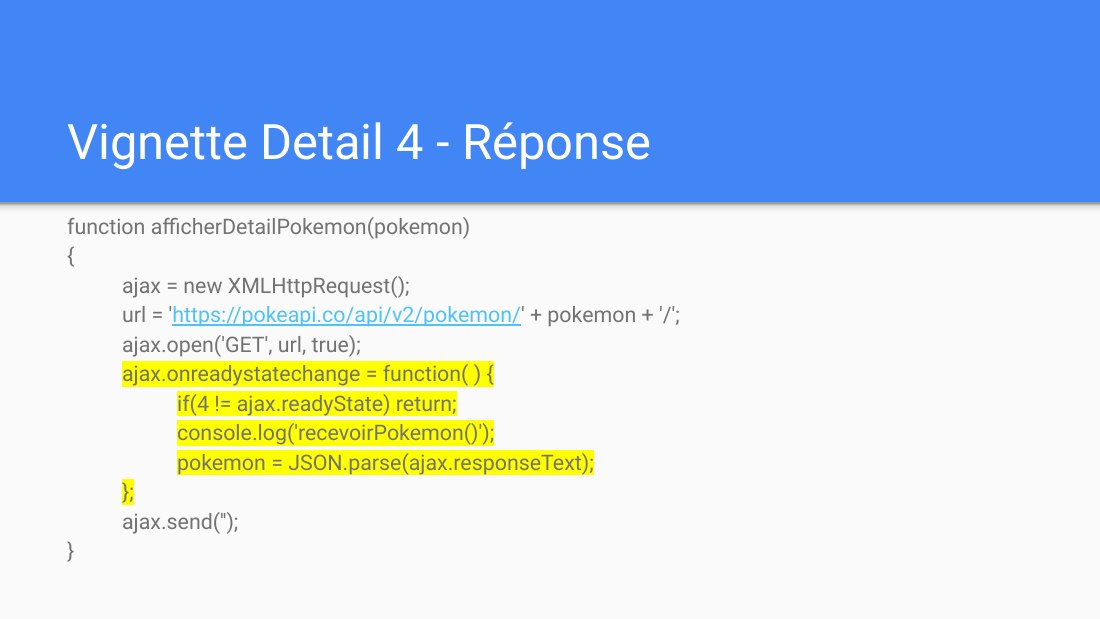
Vignette Detail 4 - Réponse - function afficherDetailPokemon(pokemon) - { - ajax = new XMLHttpRequest(); - url = ' https://pokeapi.co/api/v2/pokemon/ ' + pokemon + '/'; - ajax.open('GET', url, true); - ajax.onreadystatechange = function( ) { - if(4 != ajax.readyState) return; - console.log('recevoirPokemon()'); - pokemon = JSON.parse(ajax.responseText); - }; - ajax.send(''); - }
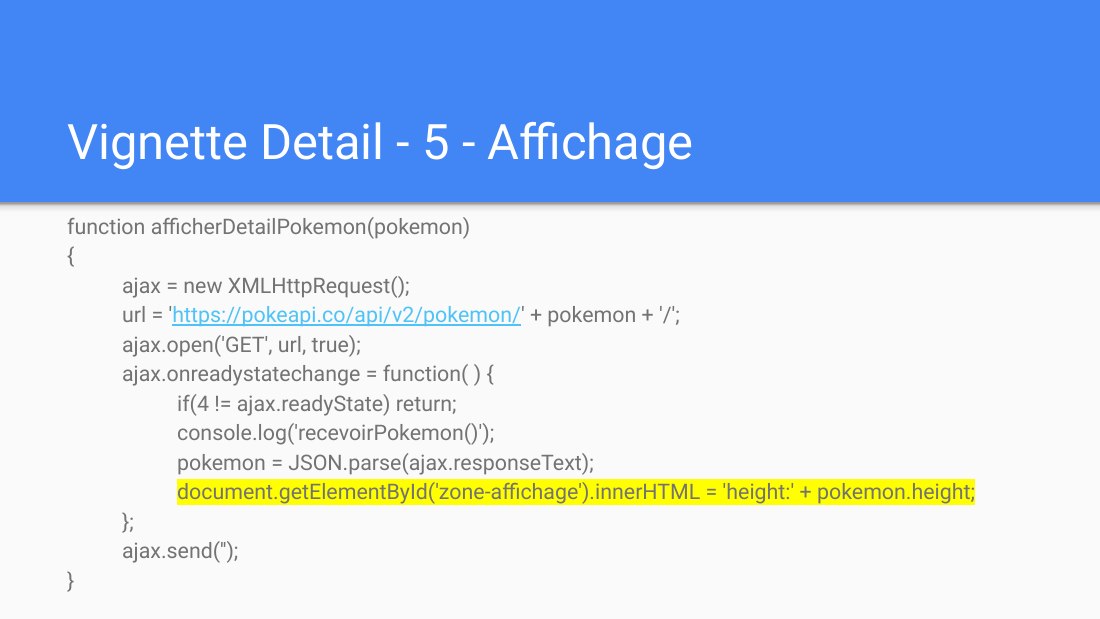
Vignette Detail - 5 - Affichage - function afficherDetailPokemon(pokemon) - { - ajax = new XMLHttpRequest(); - url = ' https://pokeapi.co/api/v2/pokemon/ ' + pokemon + '/'; - ajax.open('GET', url, true); - ajax.onreadystatechange = function( ) { - if(4 != ajax.readyState) return; - console.log('recevoirPokemon()'); - pokemon = JSON.parse(ajax.responseText); -…
Versions avec Fetch - ÉVÉNEMENT - REQUÊTE - TRAITEMENT - REPONSE - AFFICHAGE
Exemple de liste dynamique - Les 5 étapes : ÉVÉNEMENT - REQUÊTE - TRAITEMENT - REPONSE - AFFICHAGE - Version avec XMLHttpRequest
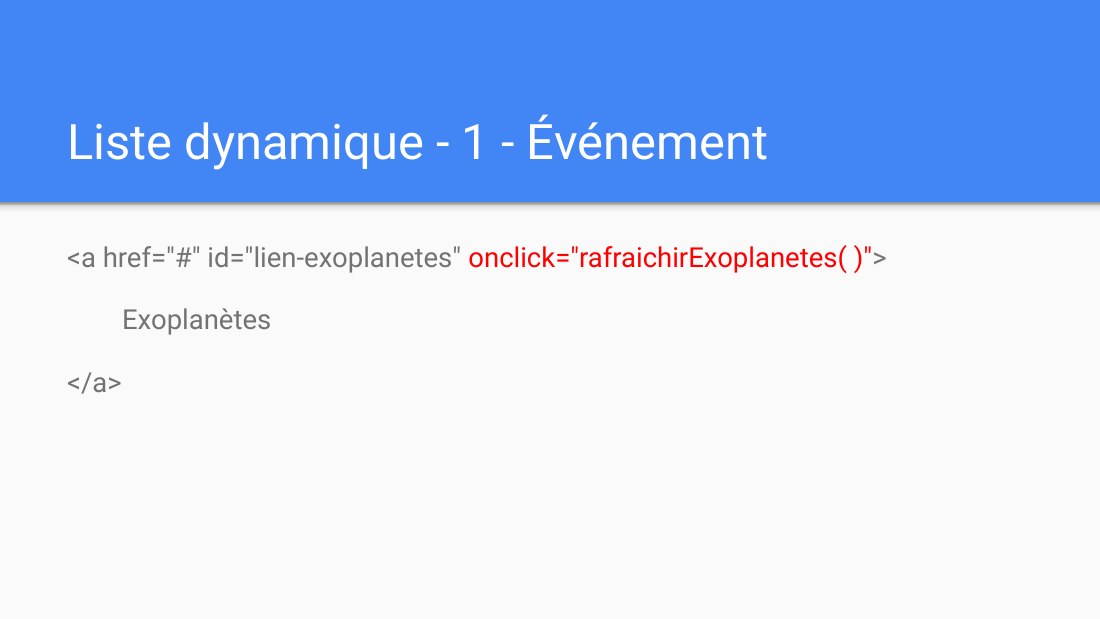
Liste dynamique - 1 - Événement - <a href="#" id="lien-exoplanetes" onclick=" rafraichir Exoplanetes( )" > - Exoplanètes - </a>
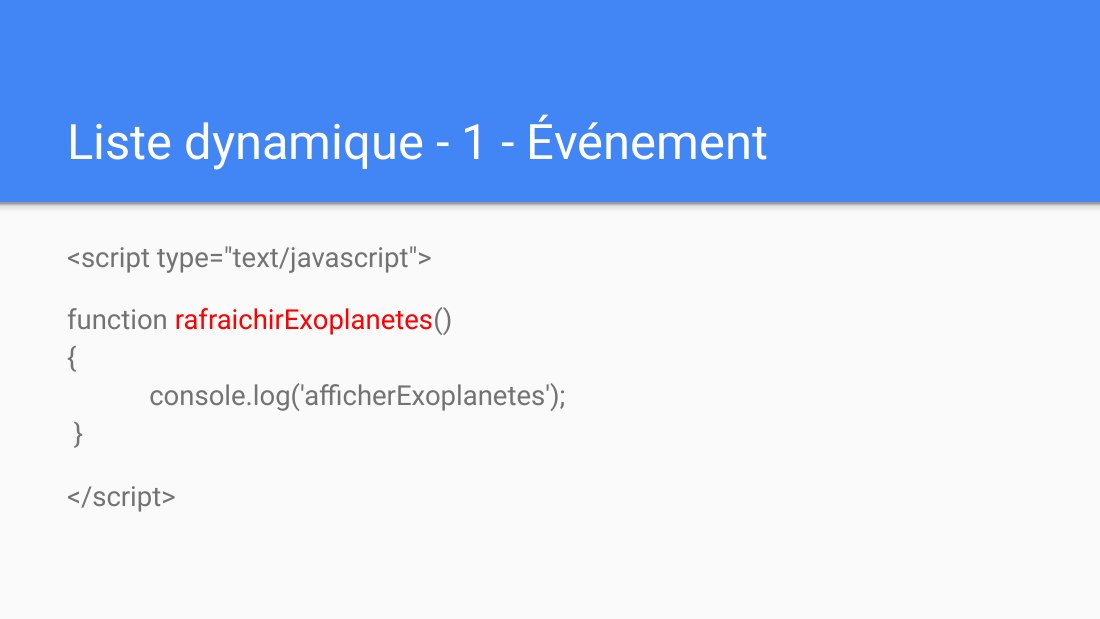
Liste dynamique - 1 - Événement - <script type="text/javascript"> - function rafraichirExoplanetes () { console.log('afficherExoplanetes'); } - </script>
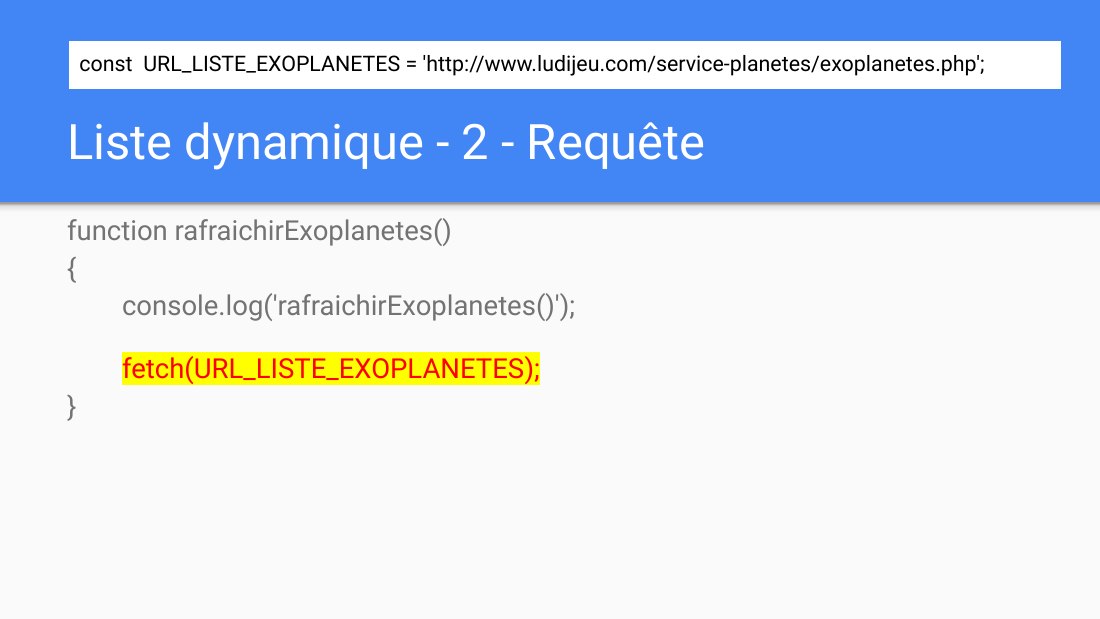
Liste dynamique - 2 - Requête - function rafraichirExoplanetes() - { - console.log('rafraichirExoplanetes()'); - fetch( URL_LISTE_EXOPLANETES ); - } - const URL_LISTE_EXOPLANETES = 'http://www.ludijeu.com/service-planetes/exoplanetes.php';
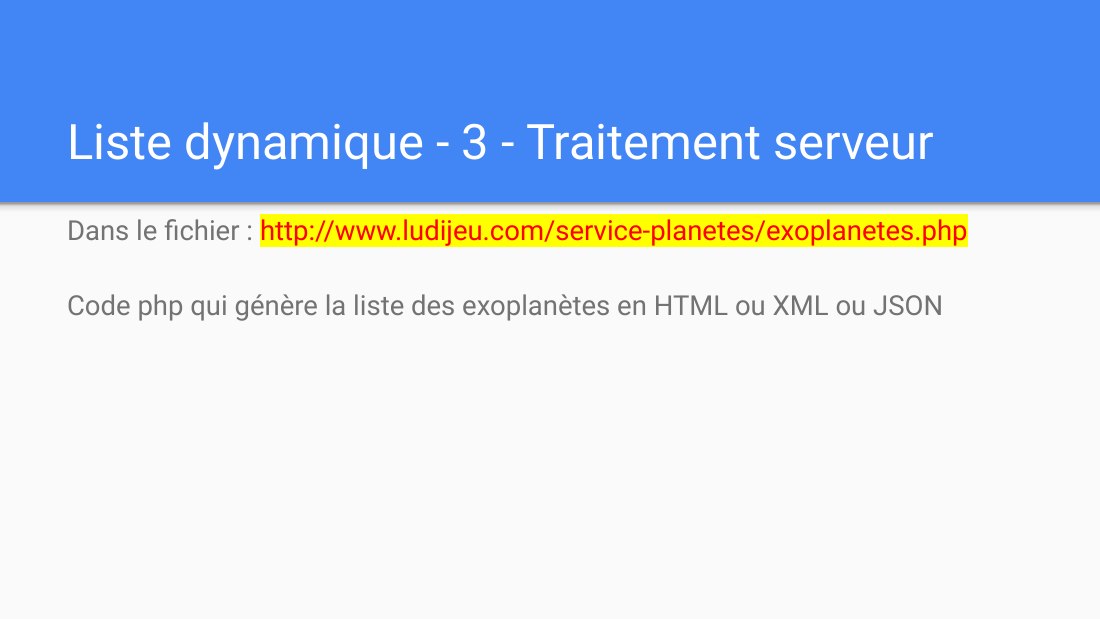
Liste dynamique - 3 - Traitement serveur - Dans le fichier : http://www.ludijeu.com/service-planetes/exoplanetes.php - Code php qui génère la liste des exoplanètes en HTML ou XML ou JSON
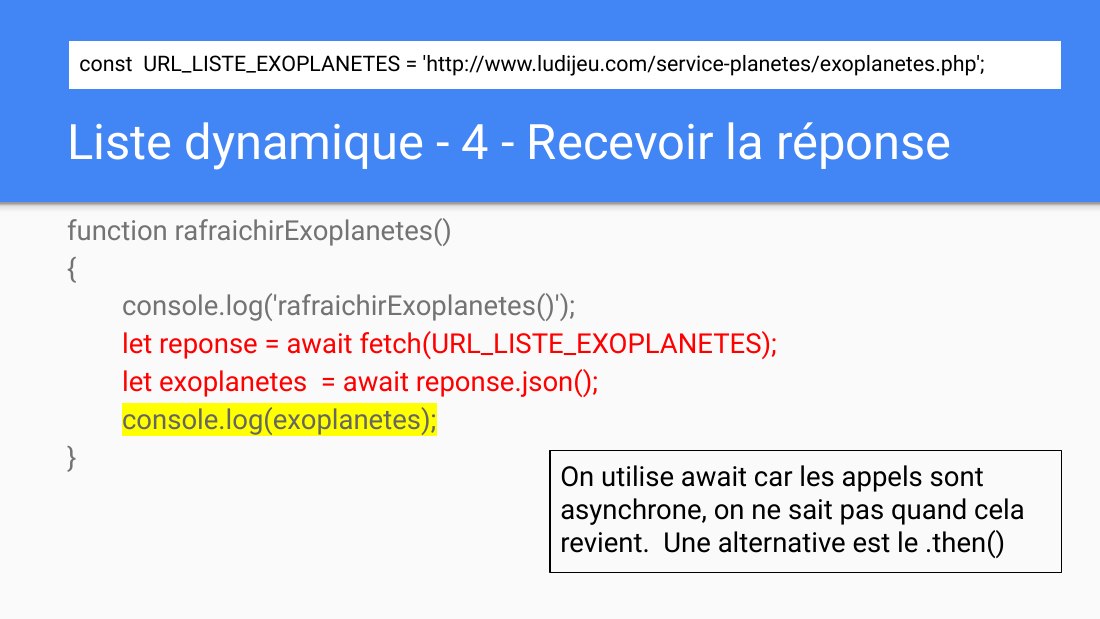
Liste dynamique - 4 - Recevoir la réponse - function rafraichirExoplanetes() - { - console.log(' rafraichirExoplanetes() '); - let reponse = await fetch(URL_LISTE_EXOPLANETES); - let exoplanetes = await reponse.json(); - console.log(exoplanetes); - } - On utilise await car les appels sont asynchrone, on ne sait pas quand cela revient. Une alternative est le .then() - const URL_LISTE_EXOPLANETES =…
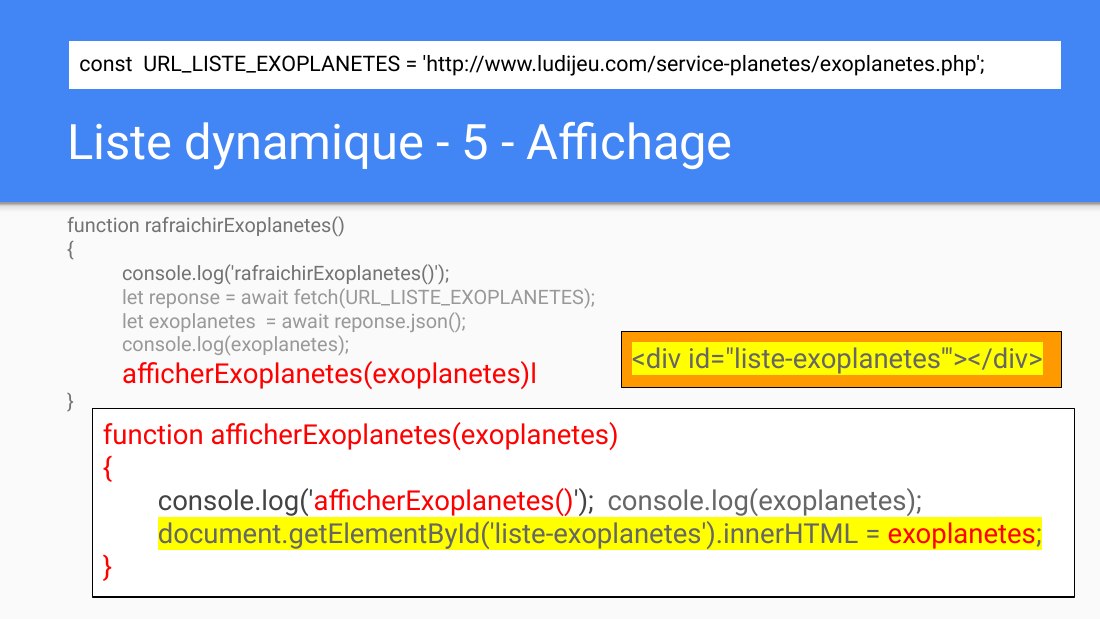
Liste dynamique - 5 - Affichage - function rafraichirExoplanetes() - { - console.log('rafraichirExoplanetes()'); - let reponse = await fetch(URL_LISTE_EXOPLANETES); - let exoplanetes = await reponse.json(); - console.log(exoplanetes); - afficherExoplanetes(exoplanetes)l - } - function afficherExoplanetes(exoplanetes) { - console.log(' afficherExoplanetes() '); console.log(exoplanetes); -…
Liste dynamique - 5 - Affichage - function afficherExoplanetes () - { … - ajax.onreadystatechange = recevoirLePokemon; - ajax.send(''); - } function recevoirExoplanetes(ajax) { - console.log('recevoirExoplanetes()'); - if(ajax.readyState != 4) return; - exoplanetes = JSON.parse(ajax.responseText); - document.getElementById('liste-exoplanetes').innerHTML = exoplanetes ; - } - <div…
Versions avec Ajax.js - ÉVÉNEMENT - REQUÊTE - TRAITEMENT - REPONSE - AFFICHAGE
Exemple de vignette-détail - Les 5 étapes : ÉVÉNEMENT - REQUÊTE - TRAITEMENT - REPONSE - AFFICHAGE - Version avec Ajax.js
Vignette Detail - 1 - Événement - <div class="vignette-pokemon" id="celebi" onmousedown="afficherDetailPokemon('celebi')"> - <img src="illustrations/mini/celebi.png"/> - </div>
Vignette Detail - 1 - Événement - function afficherDetailPokemon(pokemon) { alert('detail' + pokemon); }
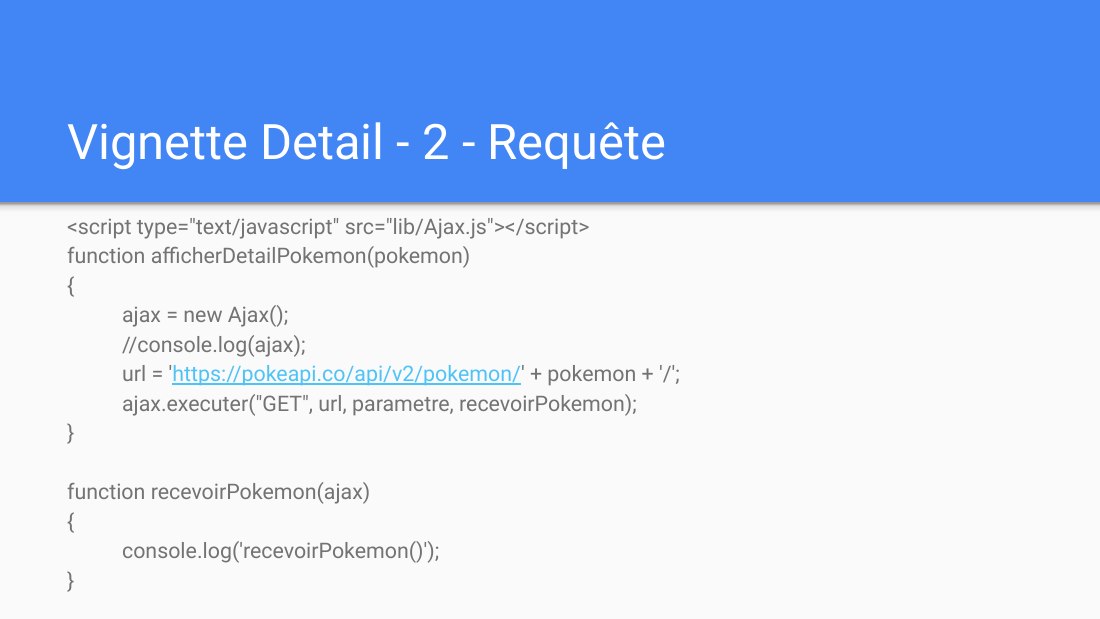
Vignette Detail - 2 - Requête - <script type="text/javascript" src="lib/Ajax.js"></script> - function afficherDetailPokemon(pokemon) - { - ajax = new Ajax(); - //console.log(ajax); - url = ' https://pokeapi.co/api/v2/pokemon/ ' + pokemon + '/'; - ajax.executer("GET", url, parametre, recevoirPokemon); - } - function recevoirPokemon(ajax) { console.log('recevoirPokemon()'); - }
Vignette Detail - 3 - Traitement - Fait par le service externe
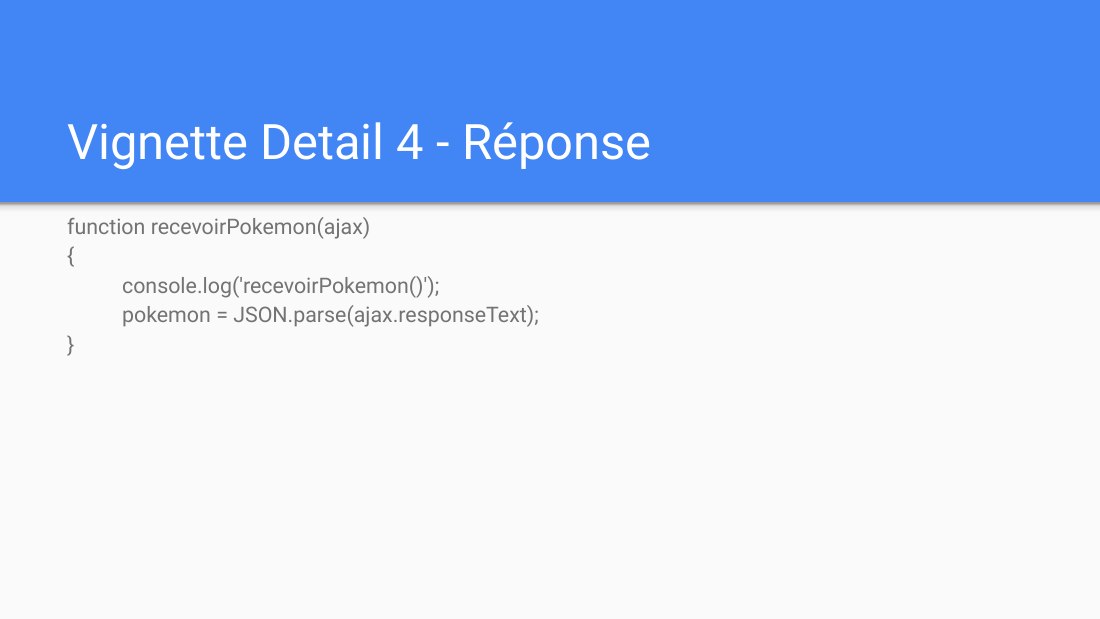
Vignette Detail 4 - Réponse - function recevoirPokemon(ajax) { console.log('recevoirPokemon()'); - pokemon = JSON.parse(ajax.responseText); - }
Vignette Detail - 5 - Affichage - function recevoirPokemon(ajax) - { - console.log('recevoirPokemon()'); - pokemon = JSON.parse(ajax.responseText); - document.getElementById('zone-affichage').innerHTML = 'height:' + pokemon.height; - }
Exemple de autocomplete - Les 4 étapes : ÉVÉNEMENT - REQUÊTE - REPONSE - AFFICHAGE - Version avec Ajax.js
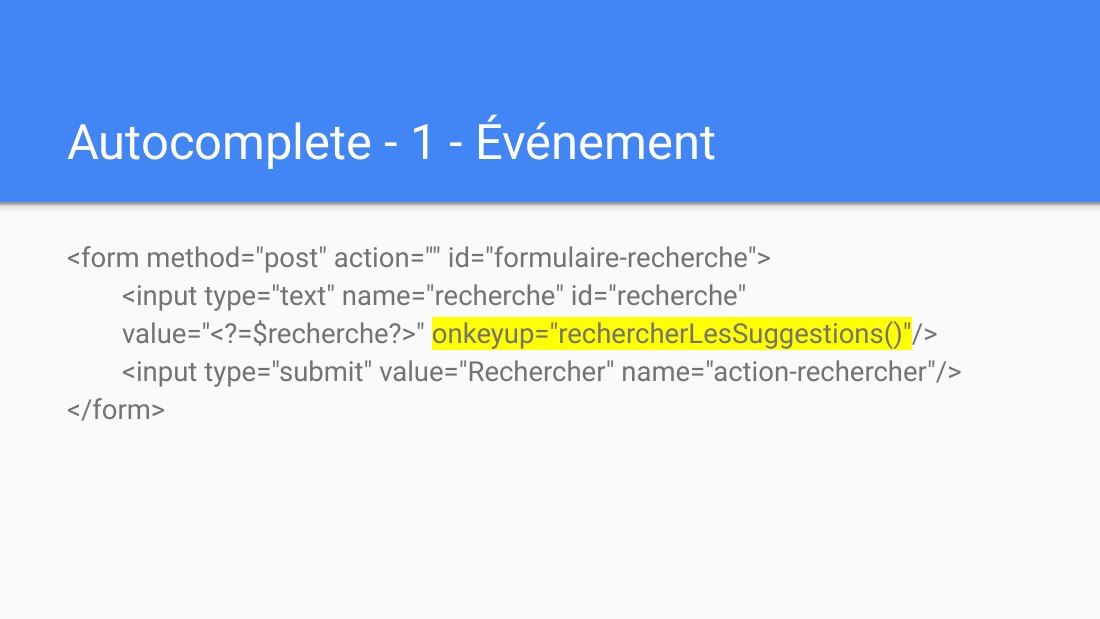
Autocomplete - 1 - Événement - <form method="post" action="" id="formulaire-recherche"> <input type="text" name="recherche" id="recherche" value="<?=$recherche?>" onkeyup="rechercherLesSuggestions()" /> <input type="submit" value="Rechercher" name="action-rechercher"/> </form>
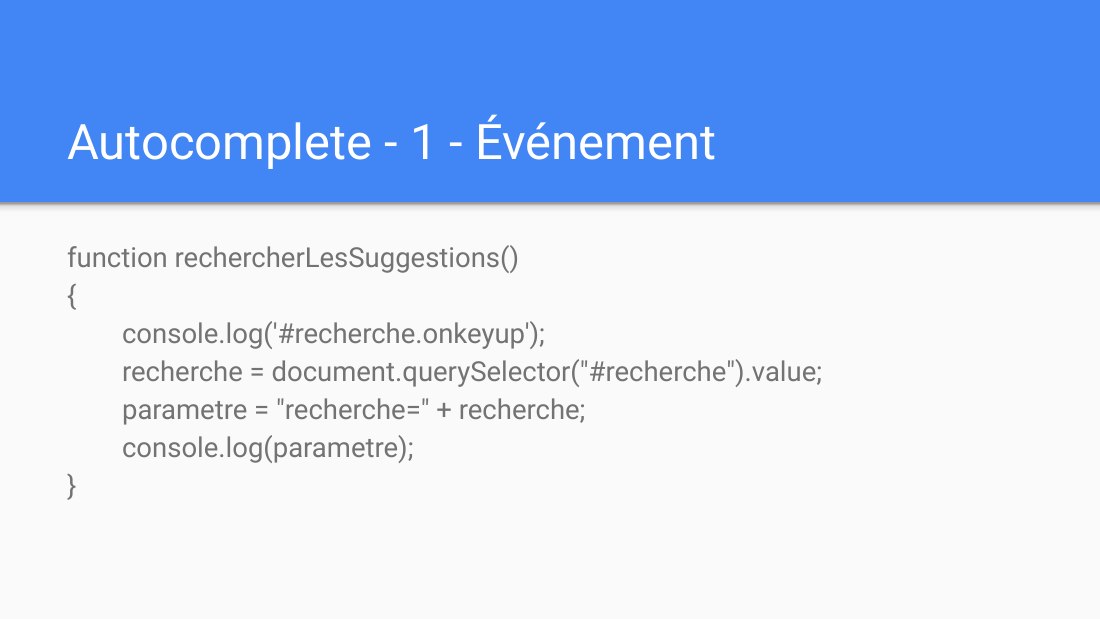
Autocomplete - 1 - Événement - function rechercherLesSuggestions() { console.log('#recherche.onkeyup'); recherche = document.querySelector("#recherche").value; parametre = "recherche=" + recherche; console.log(parametre); }
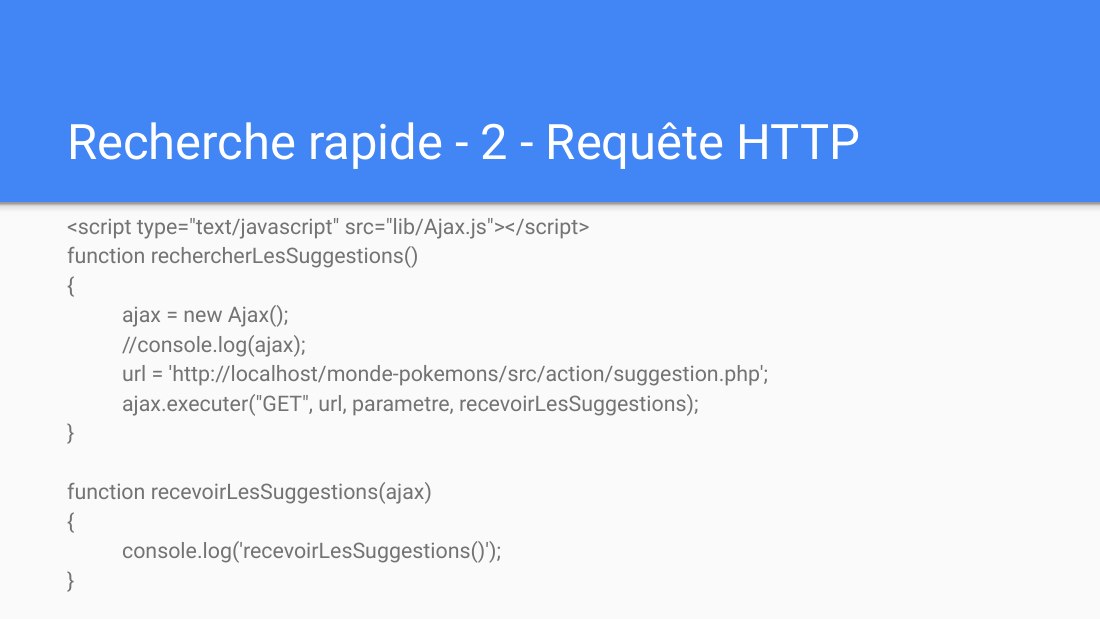
Recherche rapide - 2 - Requête HTTP - <script type="text/javascript" src="lib/Ajax.js"></script> - function rechercherLesSuggestions() - { - ajax = new Ajax(); - //console.log(ajax); - url = 'http://localhost/monde-pokemons/src/action/suggestion.php'; - ajax.executer("GET", url, parametre, recevoirLesSuggestions); - } - function recevoirLesSuggestions(ajax) {…
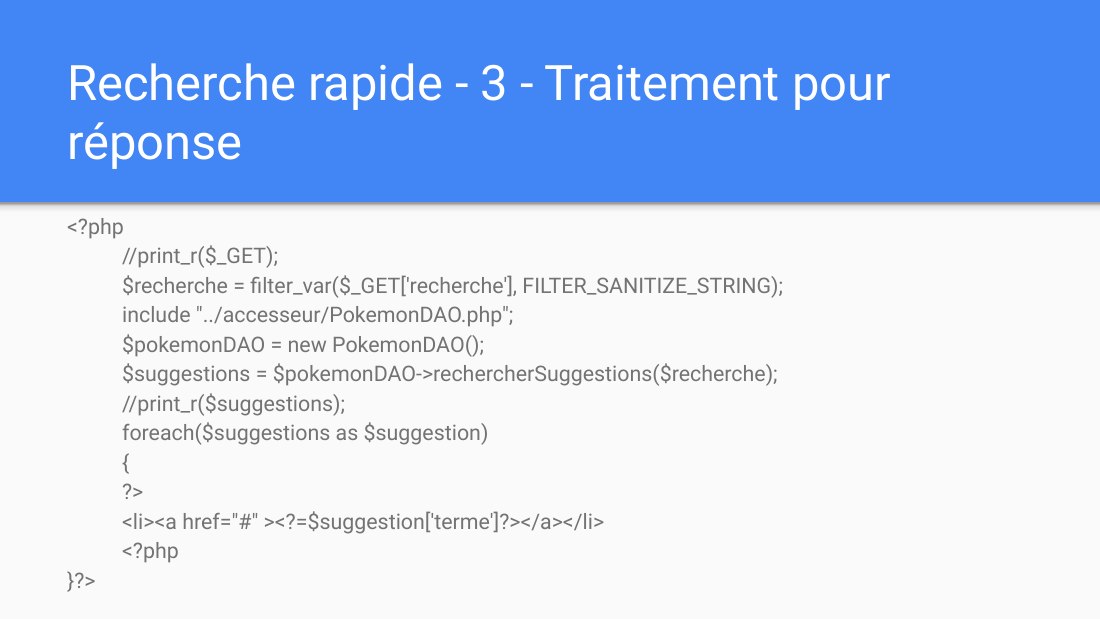
Recherche rapide - 3 - Traitement pour réponse - <?php //print_r($_GET); $recherche = filter_var($_GET['recherche'], FILTER_SANITIZE_STRING); include "../accesseur/PokemonDAO.php"; $pokemonDAO = new PokemonDAO(); $suggestions = $pokemonDAO->rechercherSuggestions($recherche); //print_r($suggestions); foreach($suggestions as $suggestion) { ?> <li><a href="#" ><?=$suggestion['terme']?></a></li>…
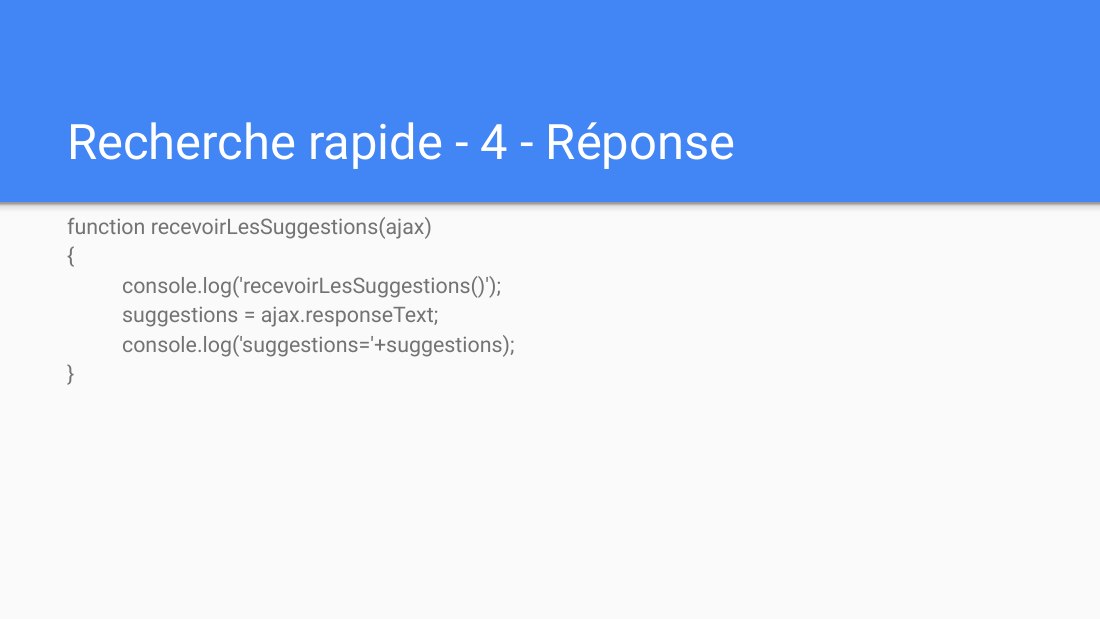
Recherche rapide - 4 - Réponse - function recevoirLesSuggestions(ajax) { console.log('recevoirLesSuggestions()'); suggestions = ajax.responseText; console.log('suggestions='+suggestions); }
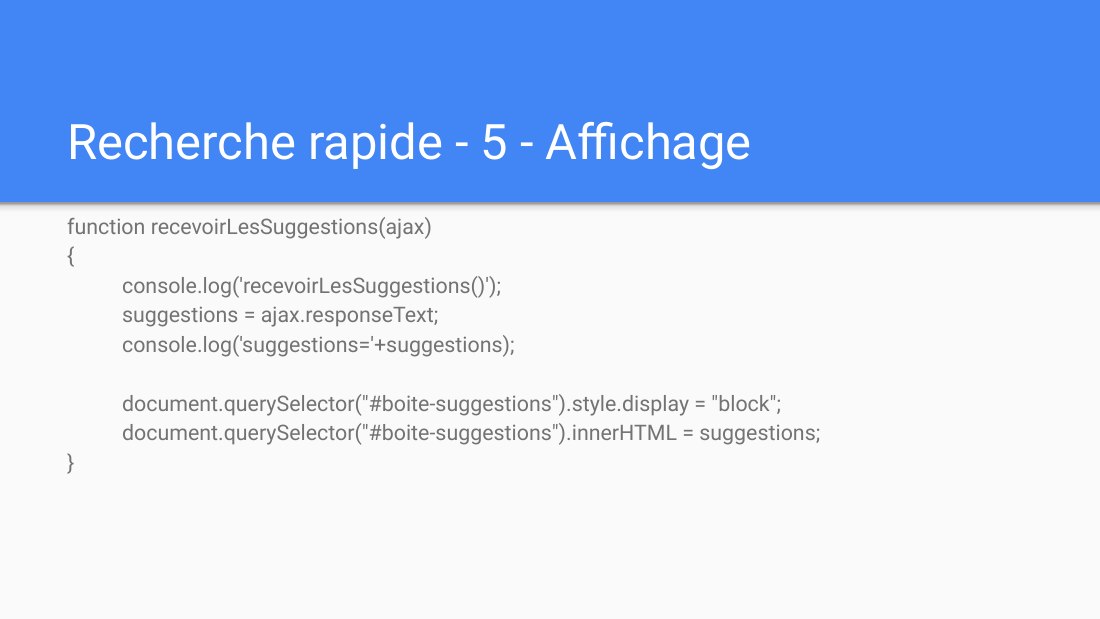
Recherche rapide - 5 - Affichage - function recevoirLesSuggestions(ajax) { console.log('recevoirLesSuggestions()'); suggestions = ajax.responseText; console.log('suggestions='+suggestions); document.querySelector("#boite-suggestions").style.display = "block"; document.querySelector("#boite-suggestions").innerHTML = suggestions; }
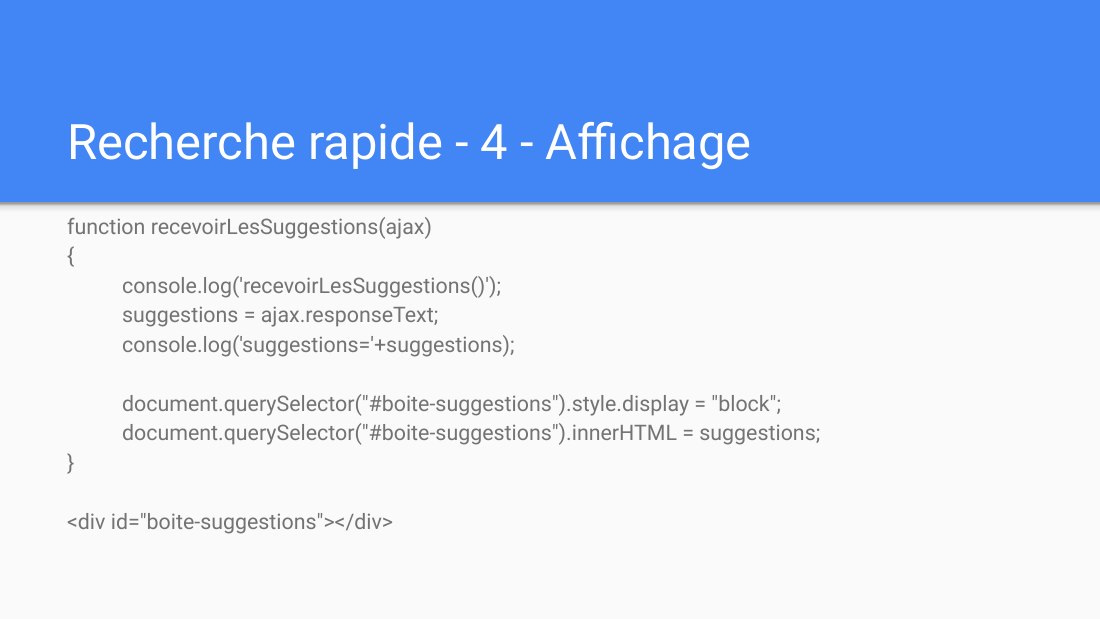
Recherche rapide - 4 - Affichage - function recevoirLesSuggestions(ajax) { console.log('recevoirLesSuggestions()'); suggestions = ajax.responseText; console.log('suggestions='+suggestions); document.querySelector("#boite-suggestions").style.display = "block"; document.querySelector("#boite-suggestions").innerHTML = suggestions; } - <div id="boite-suggestions"></div>
Exemple de recherche rapide - Les 4 étapes : ÉVÉNEMENT - REQUÊTE - REPONSE - AFFICHAGE - Version avec Ajax.js
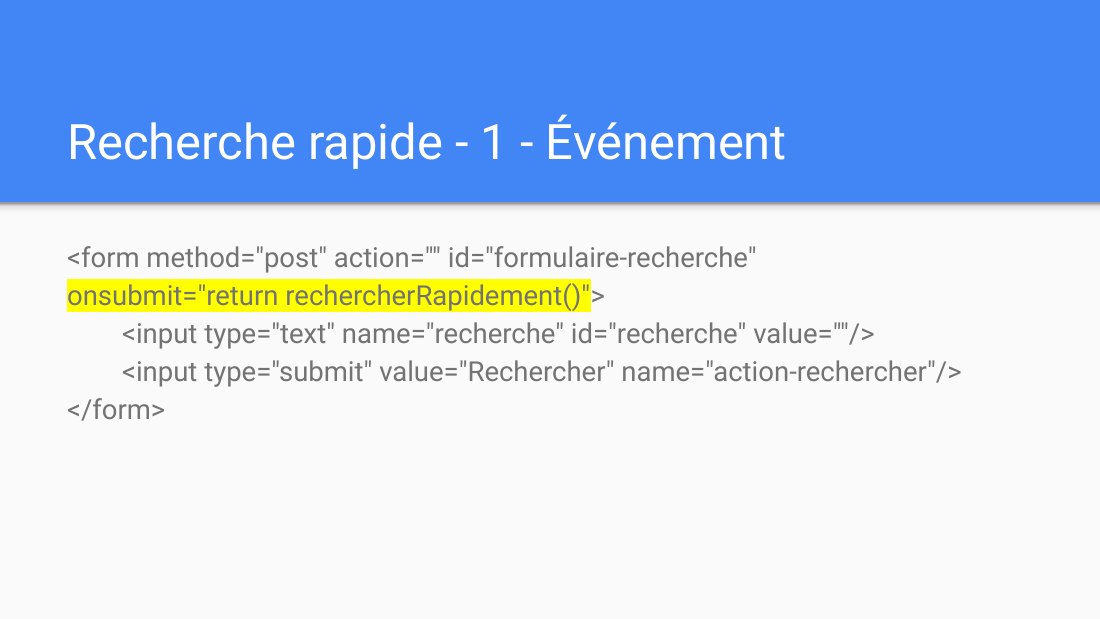
Recherche rapide - 1 - Événement - <form method="post" action="" id="formulaire-recherche" onsubmit="return rechercherRapidement()" > <input type="text" name="recherche" id="recherche" value=""/> <input type="submit" value="Rechercher" name="action-rechercher"/> </form>
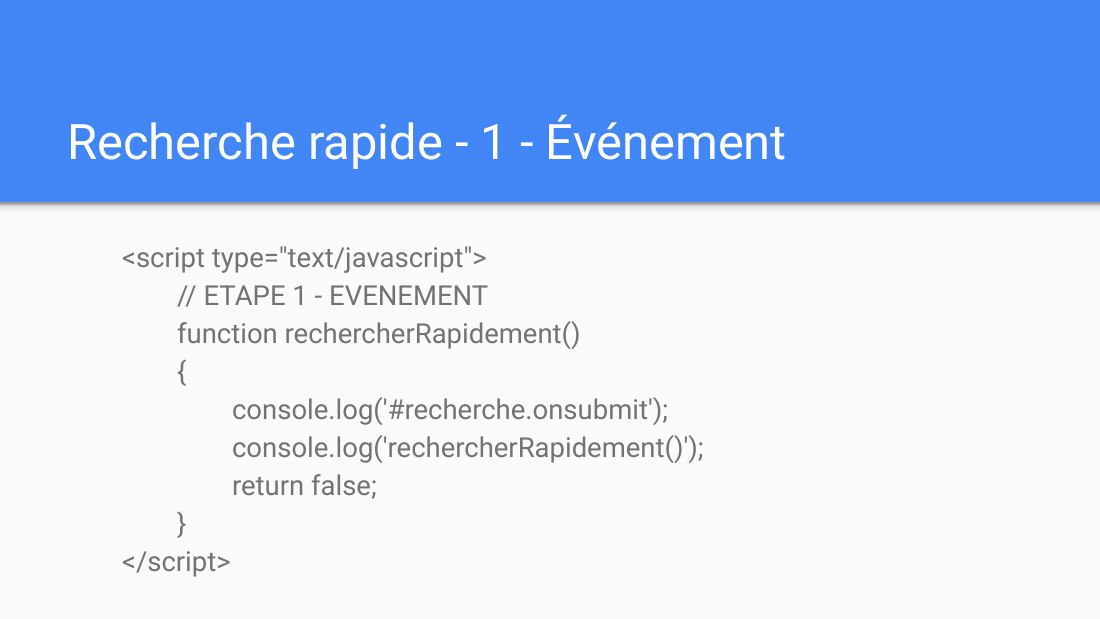
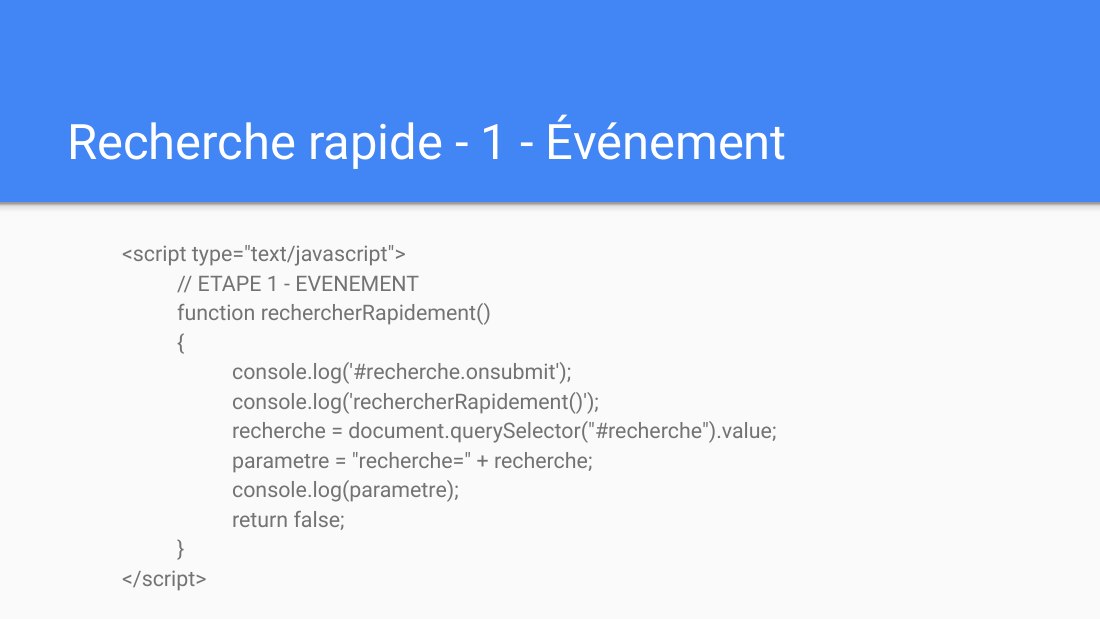
Recherche rapide - 1 - Événement - <script type="text/javascript"> // ETAPE 1 - EVENEMENT function rechercherRapidement() { console.log('#recherche.onsubmit'); console.log('rechercherRapidement()'); return false; } </script>
Recherche rapide - 1 - Événement - <script type="text/javascript"> // ETAPE 1 - EVENEMENT function rechercherRapidement() { console.log('#recherche.onsubmit'); console.log('rechercherRapidement()'); recherche = document.querySelector("#recherche").value; parametre = "recherche=" + recherche; console.log(parametre); return false; } </script>
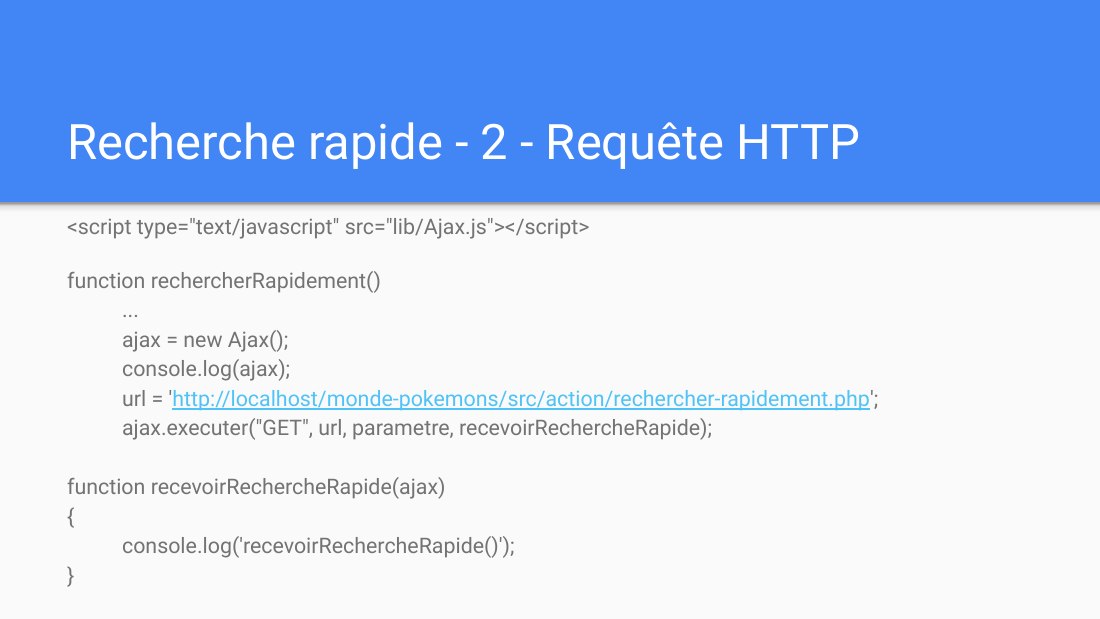
Recherche rapide - 2 - Requête HTTP - <script type="text/javascript" src="lib/Ajax.js"></script> - function rechercherRapidement() ... ajax = new Ajax(); console.log(ajax); url = ' http://localhost/monde-pokemons/src/action/rechercher-rapidement.php '; ajax.executer("GET", url, parametre, recevoirRechercheRapide); function recevoirRechercheRapide(ajax) { console.log('recevoirRechercheRapide()'); }
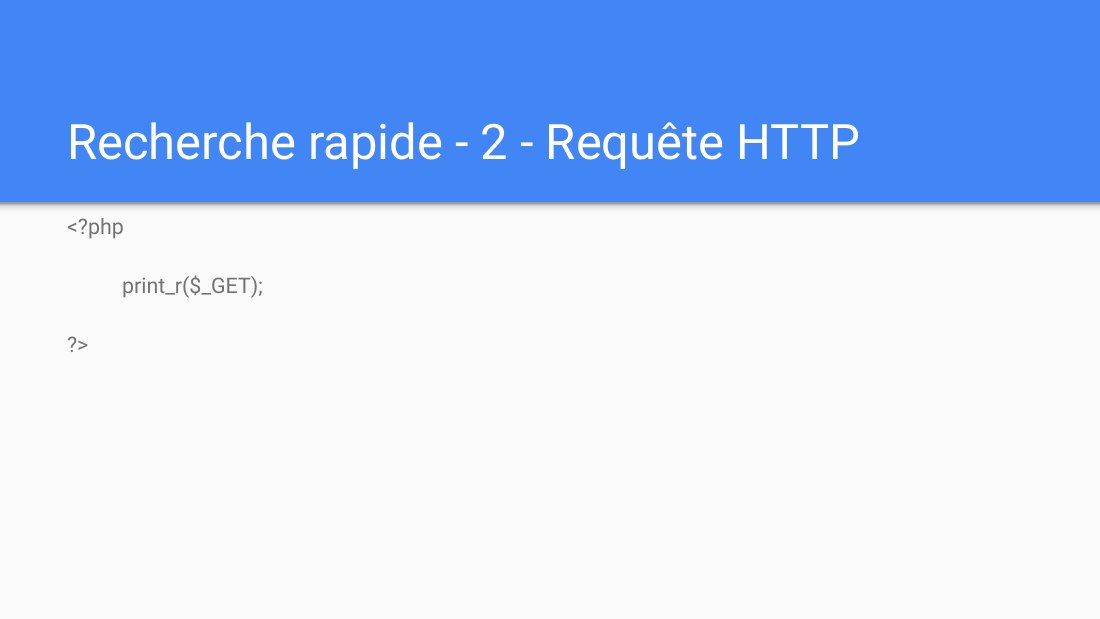
Recherche rapide - 2 - Requête HTTP - <?php print_r($_GET); ?>
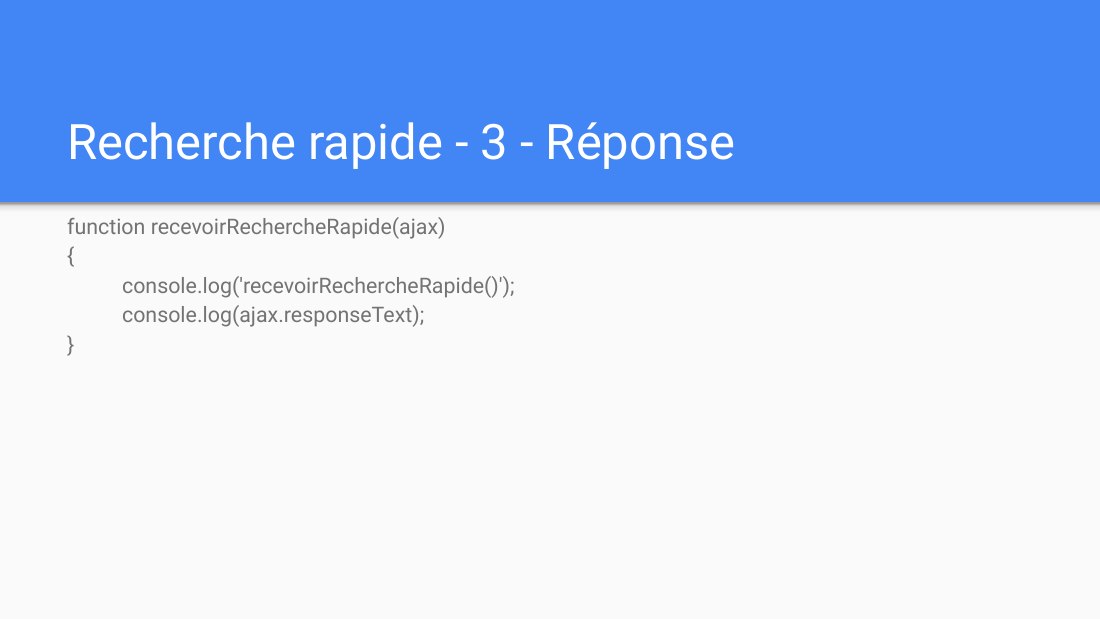
Recherche rapide - 3 - Réponse - function recevoirRechercheRapide(ajax) { console.log('recevoirRechercheRapide()'); console.log(ajax.responseText); }
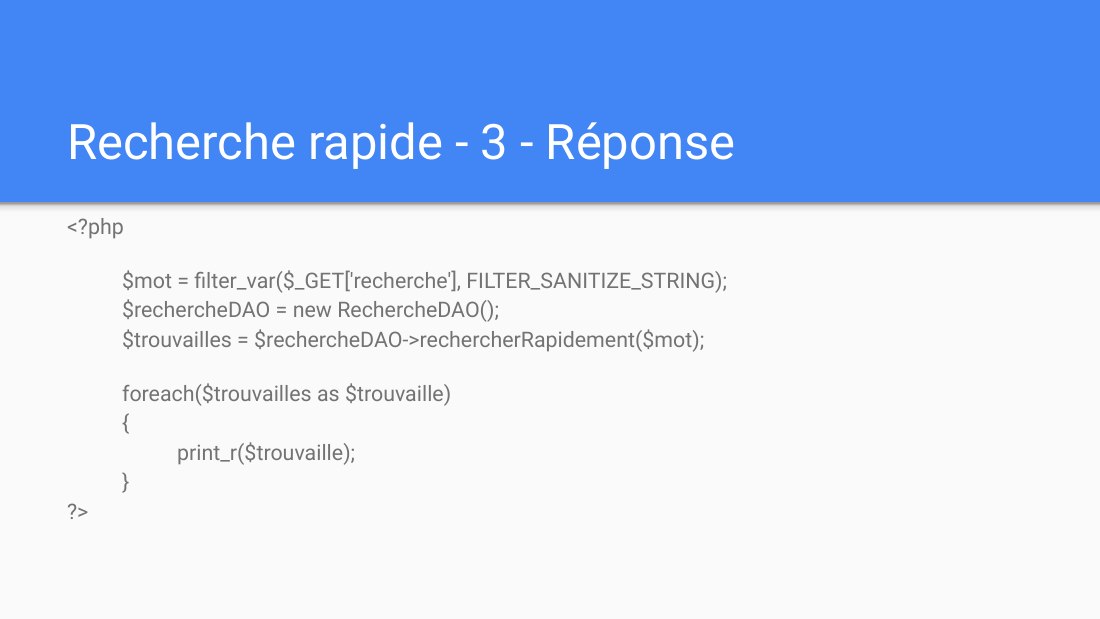
Recherche rapide - 3 - Réponse - <?php - $mot = filter_var($_GET['recherche'], FILTER_SANITIZE_STRING); $rechercheDAO = new RechercheDAO(); $trouvailles = $rechercheDAO->rechercherRapidement($mot); - foreach($trouvailles as $trouvaille) { print_r($trouvaille); } ?>
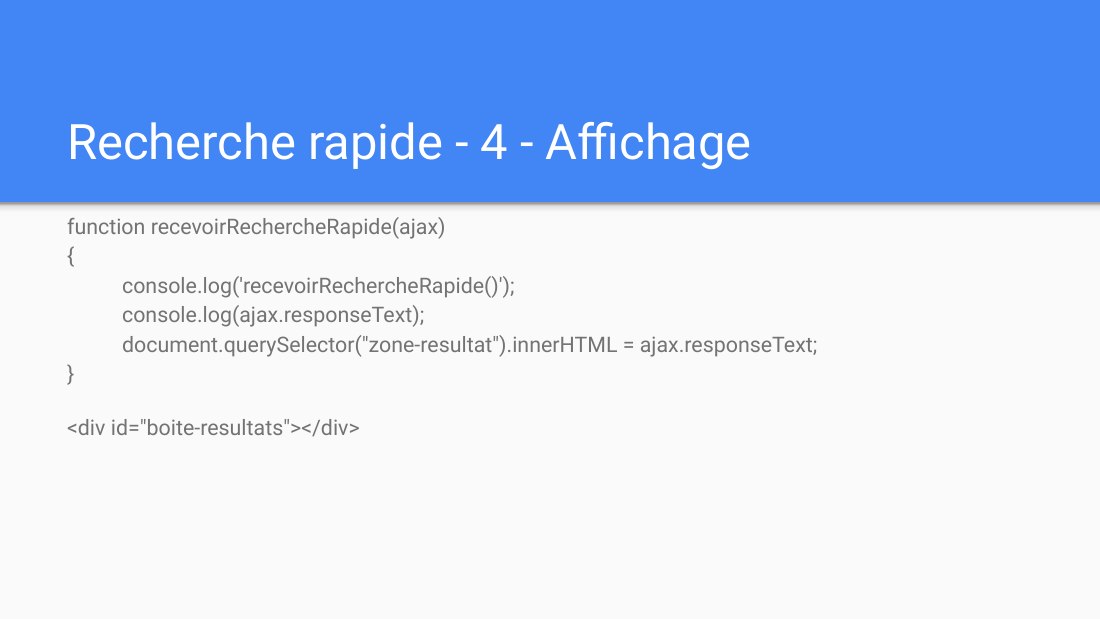
Recherche rapide - 4 - Affichage - function recevoirRechercheRapide(ajax) { console.log('recevoirRechercheRapide()'); console.log(ajax.responseText); document.querySelector("zone-resultat").innerHTML = ajax.responseText; } - <div id="boite-resultats"></div>